
- Whether PayPal Plus can be set up for a new shop
- PayPal fee estimated for your own cart
- Five questions that settle the payment methods needed
- How three platforms integrate TWINT, compared
- What buying on invoice with PayPal requires
How do I activate PayPal Plus?
Not at all for a new shop. About “PayPal Plus Germany”, PayPal writes literally: “not available for new integrations”. The documentation is there for existing integrations, and anyone integrating from scratch is pointed to the “PayPal Checkout Integration Guide”.
Anyone who comes across the name in a guide or in the settings of a shop plugin has good reason to ask. “Plus” sounds like an upgrade you would not want to miss. One detail puts that straight: at PayPal, the documentation sits in the archive of the developer site, under the path /archive/paypal-plus/de.
The shop systems describe the switch in their own guides. WooCommerce explains the move from PayPal Plus to the “PayPal Payments” plugin, and Shopware calls “PayPal Checkout” the successor to PayPal Plus. After the switch, PayPal Plus can be turned off in both cases.
This answer applies to new shops. With an existing integration, it is about the switch, as WooCommerce and Shopware describe it.
If the question about PayPal Plus comes up while you are building an online shop, it is worth taking a step back: which payment methods your customers need is the real decision, and it is closely tied to the choice of platform.
What does PayPal cost in Switzerland?
According to a comparison by the payment provider Payrexx (as of Q1 2026), the PayPal fee for merchants in Switzerland is CHF 0.55 fixed plus 3.4 % per transaction. This means PayPal in general, not PayPal Plus. Payrexx is a competitor of PayPal, so before deciding it is worth also looking at PayPal’s own terms.
What the Payrexx figure means in everyday terms is shown by a cart of CHF 80: CHF 2.72 percentage share plus CHF 0.55 fixed, CHF 3.27 in total or a good 4 percent of the amount. On an order of CHF 30, the same figure gives CHF 1.57, a good 5 percent. The smaller the typical cart, the more the fixed part weighs.
What are the pros and cons of PayPal?
On the integration side, PayPal runs on some platforms without extra effort: Squarespace has integrated PayPal directly, and in Shopware the standard PayPal payment also works without the additional setup step that Shopware calls onboarding.
According to Payrexx, however, PayPal supports neither TWINT nor PostFinance Pay. TWINT has over 6 million users according to Payrexx and is active only in Switzerland. For customers abroad, that does not matter. For a farm shop that delivers only in the region, though, the question about TWINT belongs at the start of planning.
How much effort TWINT takes depends on the platform. Shopify has integrated TWINT natively since June 2025. Squarespace integrates Stripe and PayPal directly; TWINT comes in through a third-party provider such as Payrexx, at extra cost. With WooCommerce, TWINT runs through providers such as Saferpay from SIX, Datatrans or PostFinance Checkout, each with an additional plugin.
Which payment methods your shop needs and what role PayPal plays in that is settled by five questions:
- Who buys from you: only in Switzerland or abroad too?
- How high is the typical cart?
- Do your customers ask for invoice or TWINT?
- What can your shop platform do without extra costs or an additional plugin?
- What does each payment method cost per order?
The order has a reason. First comes who buys from you, how much and how they want to pay. Platform and costs come after, because they depend on that answer. A separate article explains how visitors turn into orders and inquiries.
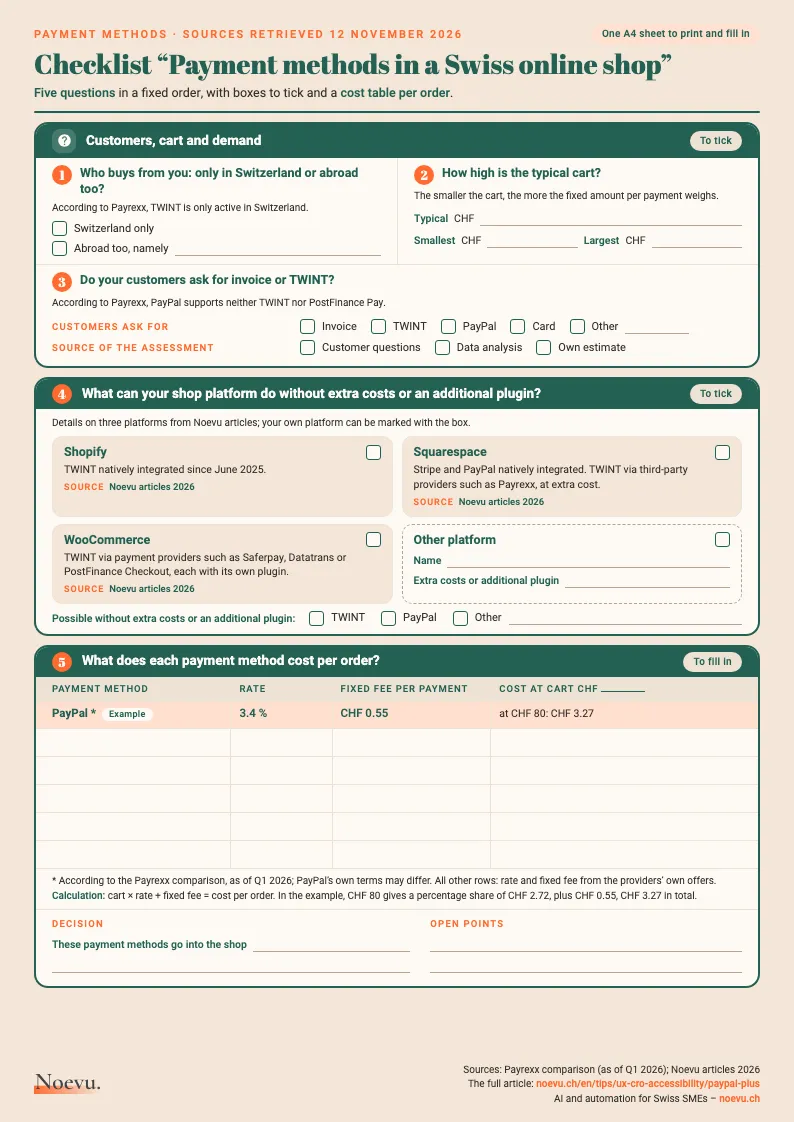
Checklist “Payment methods in a Swiss online shop”
One A4 sheet to print and fill in, with boxes for the five questions from the article. It also includes an overview of Shopify, Squarespace and WooCommerce and a cost table with a PayPal example. Sources retrieved on 12 November 2026.
Thank you. Your download will start shortly.
What does buying on invoice with PayPal require?
According to the WooCommerce guide, three things: in the “PayPal Payments” plugin, buying on invoice requires a German PayPal business account, a shop location in Germany and euros. What that means for a shop in Switzerland is best clarified with PayPal itself.
An example from our own work shows a solution in the checkout. For Weinbau Wetli in Männedorf on Lake Zurich, we built the website with Squarespace. The case study answers the question of whether the wine can be ordered on invoice with yes.
Squarespace does not offer that out of the box. So we adapted the checkout and set up an order flow with custom code through which the wine can be ordered on invoice. How the product pages in the shop look is shown in the case study on the winery.
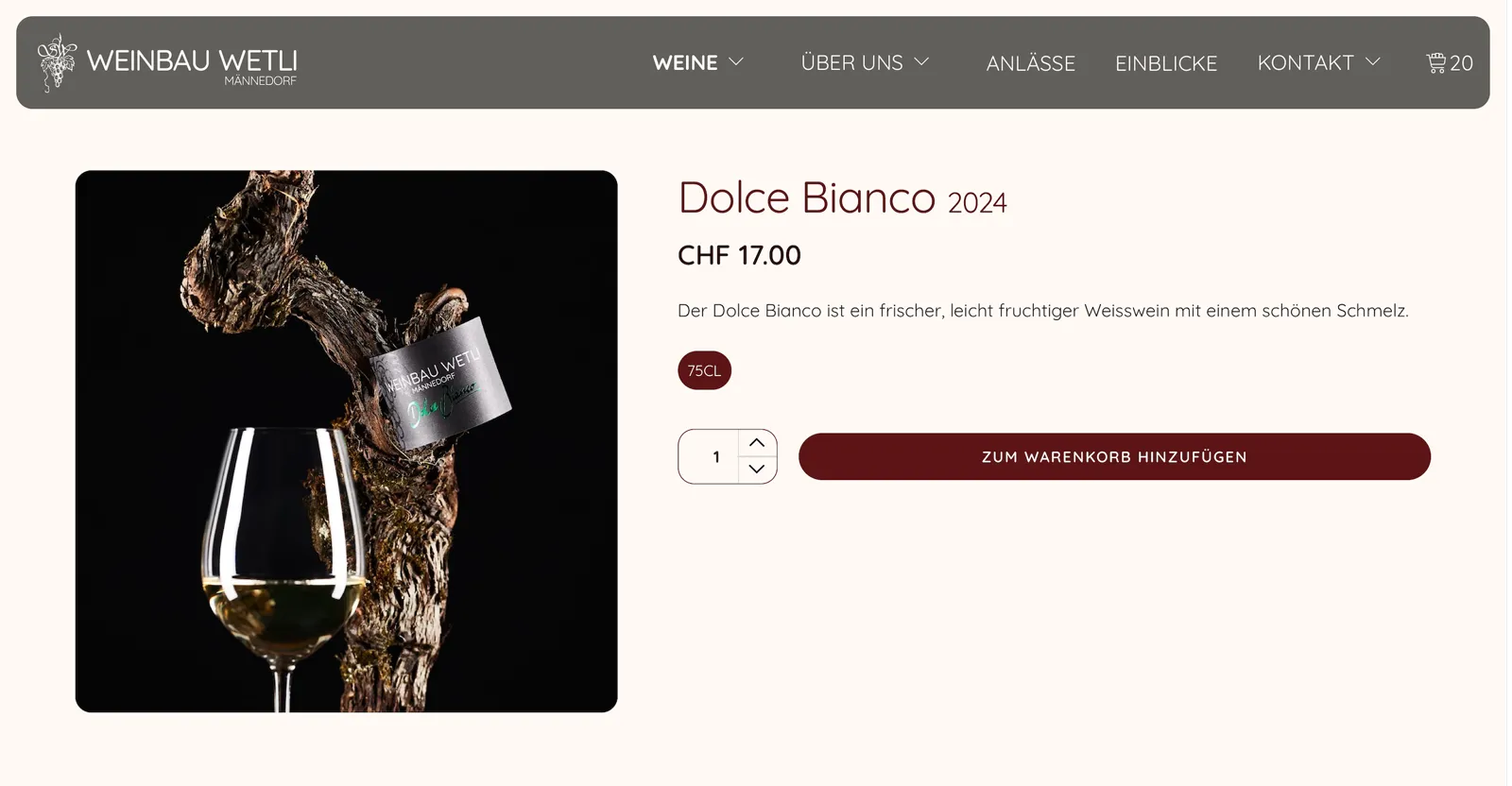
That settles the name PayPal Plus. What remains open is the question that matters for your shop: which payment methods your customers look for at checkout. Once the five questions are answered and it is still unclear what your platform can do without extra costs or an additional plugin, and where custom code is needed, we are happy to work that out with you. How a shop comes about with us is shown on the page Custom website design; a conversation can be arranged through the contact page.

Not sure everything has been done right? Book a free, no-obligation online call and we'll take a professional look at your website.
Frequently Asked Questions
Can PayPal Plus be set up for a new shop?
No. PayPal lists the product as “PayPal Plus Germany” and states that it is not available for new integrations; anyone integrating from scratch is pointed to the “PayPal Checkout Integration Guide”. Shopware calls PayPal Checkout the successor to PayPal Plus.
Does PayPal Checkout work without an account?
According to the Shopware documentation on PayPal Checkout, many of the payment methods shown do not require a PayPal account. This refers to the payment methods displayed at checkout, that is, what customers choose when they pay. Which payment methods a Swiss shop can offer with it is worth clarifying directly with PayPal.