

Fifteen minutes are enough to walk the recommendation through your case — with no quote afterwards.
CMS evaluation
Which CMS fits your website?
Fifteen questions about your website, roughly five minutes. Then a recommendation for one of four systems — with the reasons behind it.
-
Squarespace
Website builder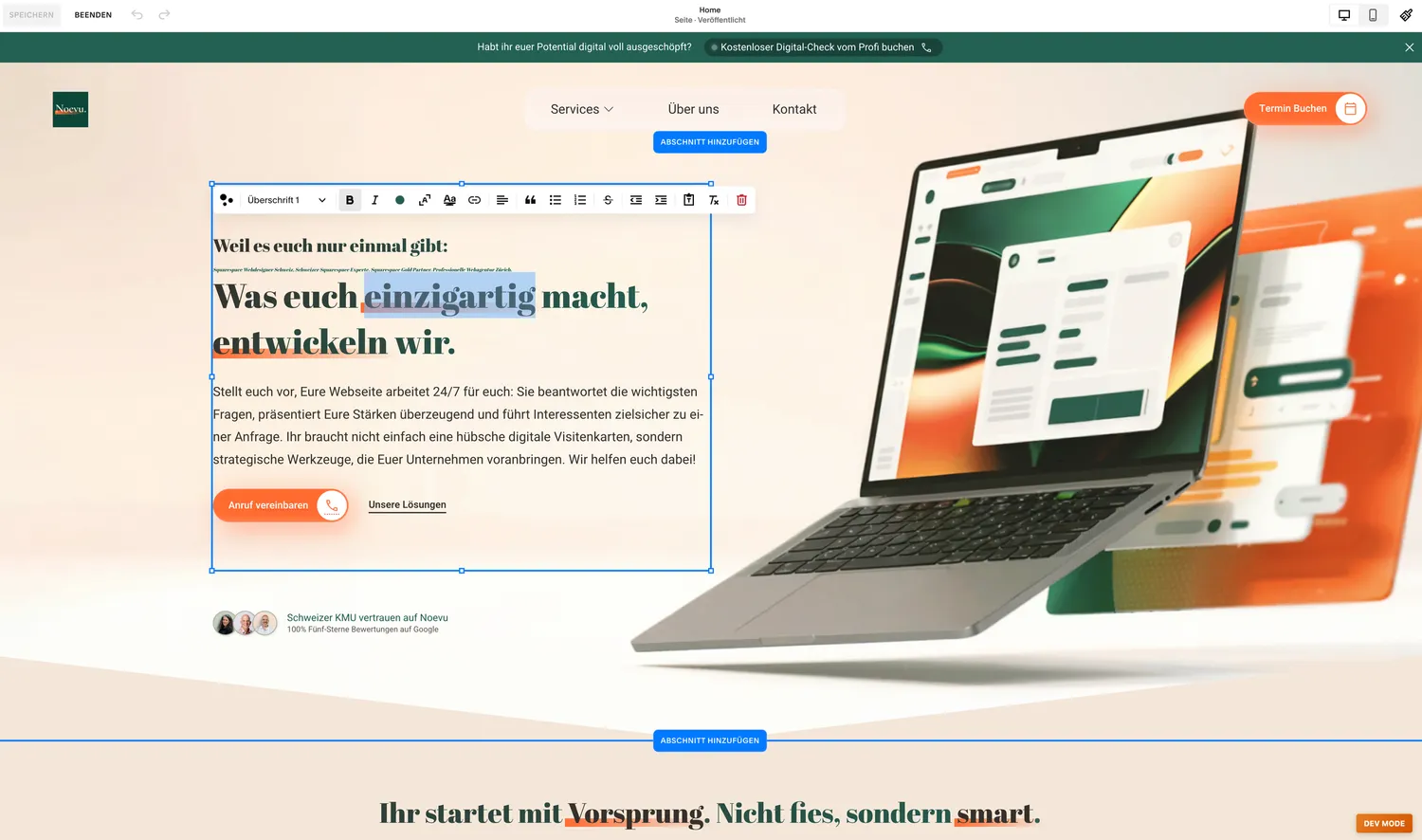
A mature builder you run yourselves. Cheap, quickly online, updates included — the freedom ends where special requirements begin: your own design, several languages, your own data.
-
WordPress
Classic CMS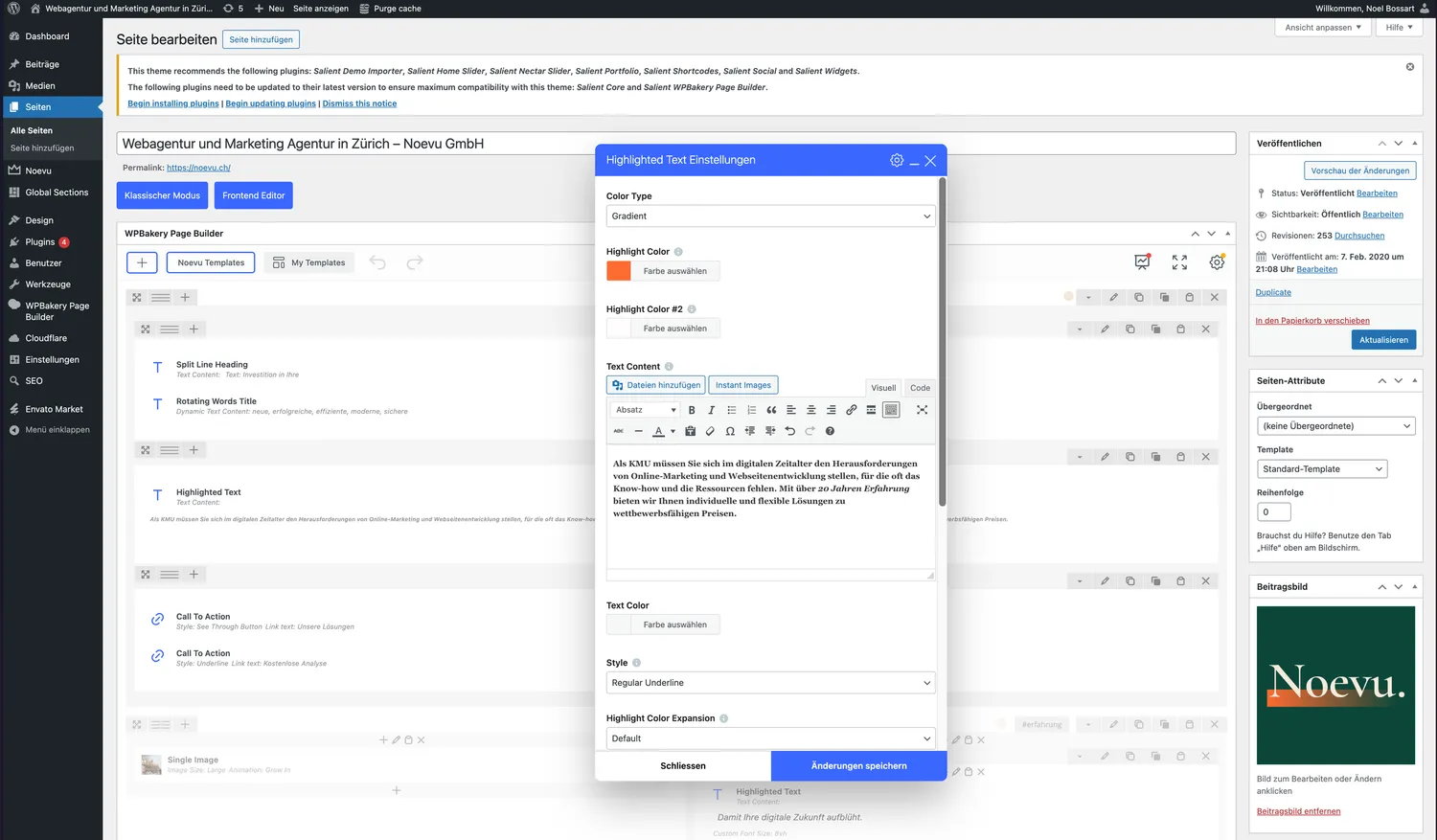
The most widespread system: there is a plugin for almost everything. In return the maintenance stays with you, editing gets cluttered fast, and several languages need a paid add-on.
-
Payload
Headless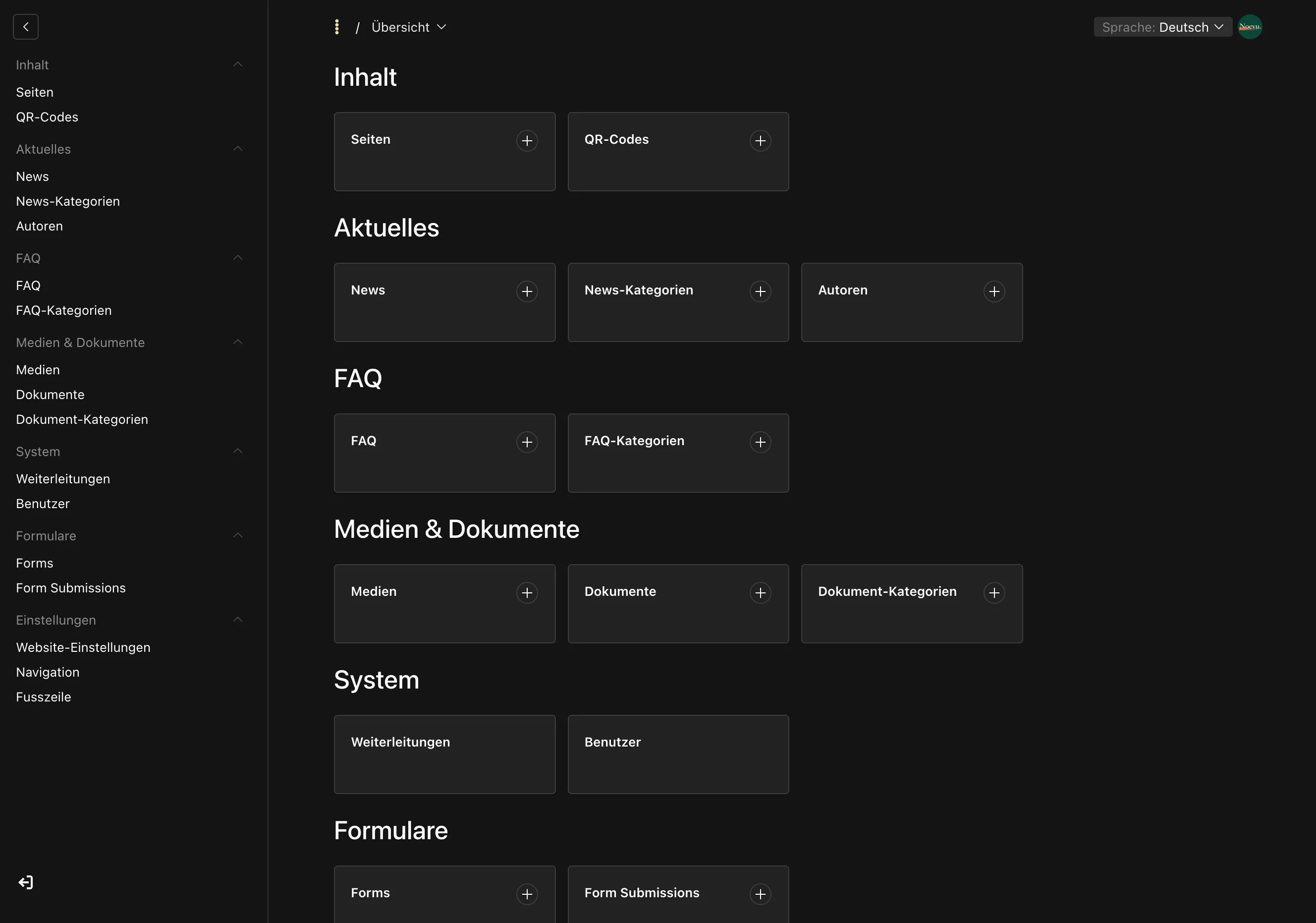
A modern headless system with a straightforward interface. It carries whole applications with accounts and roles, and runs on a server of your own, in Switzerland if you want.
-
Sanity
Headless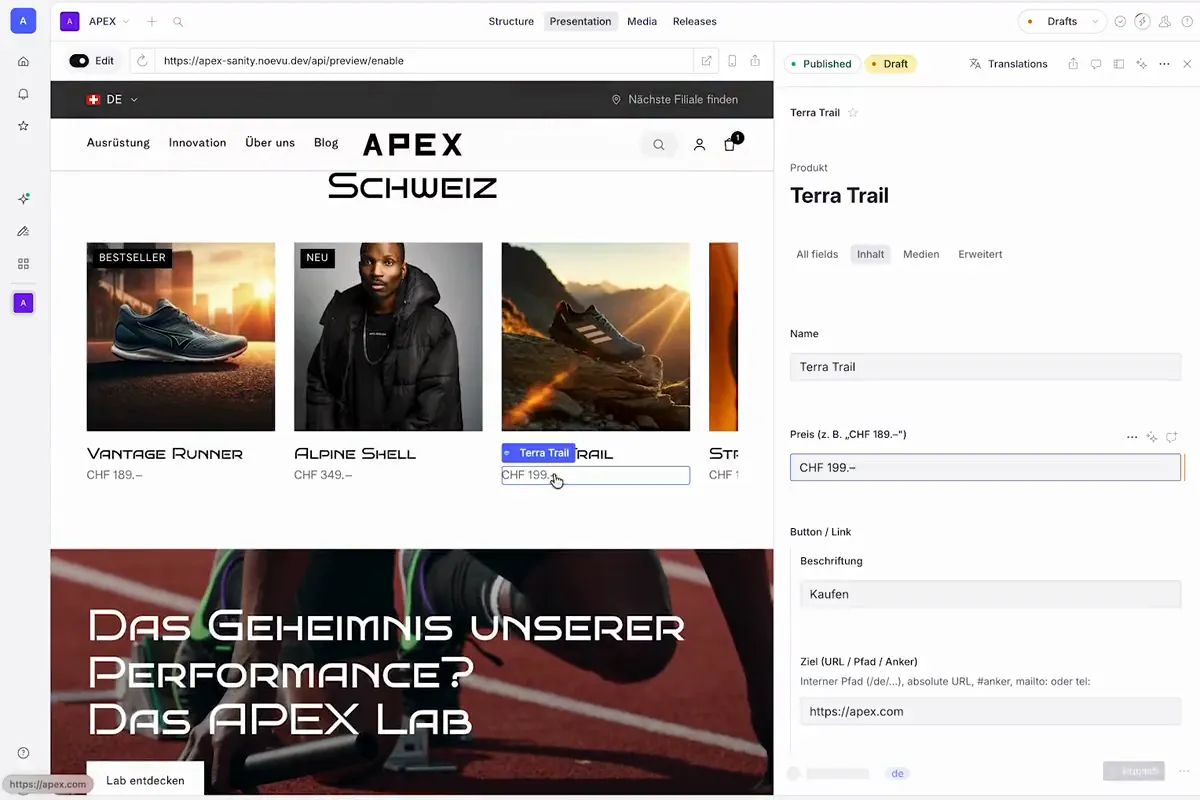
A far-developed headless system: live editing, several people in the same text at once, AI built in. Structured content for many languages and channels.
Shall we talk it through?
Fifteen minutes, free, with no quote afterwards. You can also go straight to the result.

Noël Bossart
- 15 minutes
- Video
What your answers mean for the CMS choice
| Squarespace | WordPress | Payload | Sanity | |
|---|---|---|---|---|
| Editor | Site builder, anyone moves anything | Page builder, depends on the theme | Fields and roles, live preview | Fields, live editor, AI help |
| Data location | USA, content exportable | Server of your choice | Server of your choice, Switzerland included | Content Lake in the EU |
| Application logic | Member area, nothing else | Through plugins, awkward | Accounts, roles, own data | Content store, logic beside it |
| Operations | Subscription, updates automatic | Maintain updates and plugins | Own server, own upgrades | Backend stays current on its own |
| Design | Templates, limited freedom | Themes, plugins leak through | Free, own front end | Free, own front end |
| Languages | Only via Weglot, expensive | WPML, permanent maintenance | Localisation built in | Built in, translation in the studio |
| Running costs | Subscription per month | Maintenance, plugins, security | Server plus support | Seats plus support |
As of September 2026. The rows are the criteria the test calculates with.
New Homepage Projects & Resources
Successful website projects from practice.
 Article
Web design10 minWebsite cost in Switzerland: how to judge the priceAsk three agencies for a quote and you often get three prices that differ by a multiple. Sourced ranges and the main cost drivers show what shapes website cost in Switzerland and which price fits y…
 Article
Consulting & conception11 minGoogle Consent Mode v2: Mandatory for Swiss SMEs?Vendors often sell Swiss SMEs Google Consent Mode v2 as a legal requirement. But Swiss law mostly requires only information and a way to decline, and Google's signal rule applies to visitors from t…
 Article
Search engine optimization7 minllms.txt: what the file delivers and when it pays offAt noevu.ch/llms.txt sits a file that is not meant for visitors. It is supposed to explain to AI systems what is on a website. Whether ChatGPT, Claude and the like use it in their answers is an ope…
 Article
Web design6 minCreating wireframes: the plan for your website before the design beginsCreating wireframes means planning a website on paper before anyone picks colours, photos or fonts. A wireframe shows which content sits on a page and in what order. For an SME, it is an inexpensiv…
 Article
Consulting & conception8 minGoogle Analytics alternatives: cookieless website analytics for Swiss SMEsA Google Analytics alternative pays off when your website mainly needs to bring in inquiries. Cookieless web analytics counts visits without cookies, usually on servers in the EU or on your own ser…
 Article
AI and automation12 minWhen ChatGPT maintains your website itself – how it works and where the limits areIn many Swiss SMEs, AI already writes, checks spreadsheets and translates – yet someone still maintains the website by hand. If you want to maintain your website with AI, you should know how it wor…
Discover all posts Frequently Asked Questions
What does the CMS evaluation cost?
Nothing. The test runs in the browser, the result appears straight away, and no invoice follows.
How long does the test take?
Fifteen questions, roughly five minutes. The questions about your company come last and do not change the result.
What happens to our details?
They reach us by email and stay there. No selling on, no newsletter without your say-so. The shareable result link carries only your answers, no name and no address.