


What a Squarespace website is — a brief overview
Squarespace is an all-in-one website builder: hosting, design editor, and content management in a single monthly subscription. Content is managed directly in the browser — no plugins, no server updates, no technical background required.
The concept is straightforward: choose a template, adjust text, images and structure, and the website goes live. Squarespace handles hosting, SSL certificate, software updates, and security automatically. You pay a monthly or annual fee — the rest runs in the background.
What distinguishes Squarespace from WordPress or a custom-built system: you're not buying code or hosting — you're subscribing to a service. That comes with both advantages and disadvantages that play out differently depending on the situation. You will find a step-by-step guide to setting it up in the Squarespace tutorial for Swiss SMEs.
When does Squarespace make sense?
Squarespace makes sense when the goal is a polished, professionally designed online presence — without a large budget for development and ongoing maintenance. It works especially well when content rarely changes and visual quality matters more than custom functionality.
These situations are a good fit for Squarespace:
When is Squarespace the wrong choice?
Just as important as the advantages are the limitations. Squarespace is excellent for certain requirements — for others, it's simply the wrong foundation. Knowing this early saves time, money, and frustration.
Squarespace is often the wrong choice when:
- Your shop needs TWINT as a payment option — native integration is not available
- Multilingual is needed but no monthly budget for Weglot (from ~EUR 15/mo) is available
- The website is expected to grow significantly or scale in 3–5 years
- Custom functionality, membership areas, or database integrations are required
- Maximum design freedom is required — templates impose clear limits
- Data storage exclusively on Swiss or EU servers is required
What to clarify before deciding
Before signing up for a Squarespace subscription, a few honest questions help. The answers usually quickly indicate whether Squarespace is the right choice — or whether another platform is a better fit.

What Squarespace actually costs
Squarespace is billed monthly or annually. Annual plans are significantly cheaper and generally the better option for SMEs. Squarespace lists CHF prices for Switzerland directly (as of August 2026, excluding Swiss VAT).
| Basic | Core | Advanced | |
|---|---|---|---|
| Price (annual) | CHF 15/mo | CHF 21/mo | CHF 27/mo |
| Price (monthly) | CHF 21/mo | CHF 30/mo | CHF 39/mo |
| Online shop | Simple store | Yes, full | Yes, full |
| Payment processing | Standard fees | Standard fees | Lowest fees |
| Members area | — | Yes | Yes |
| Best for | Business website, blog | Service providers, lead gen | Shop without TWINT |
Squarespace CHF prices for Switzerland (August 2026). Excluding Swiss VAT (8.1%). Weglot for multilingual support and TWINT workarounds (e.g. Payrexx) are billed separately.
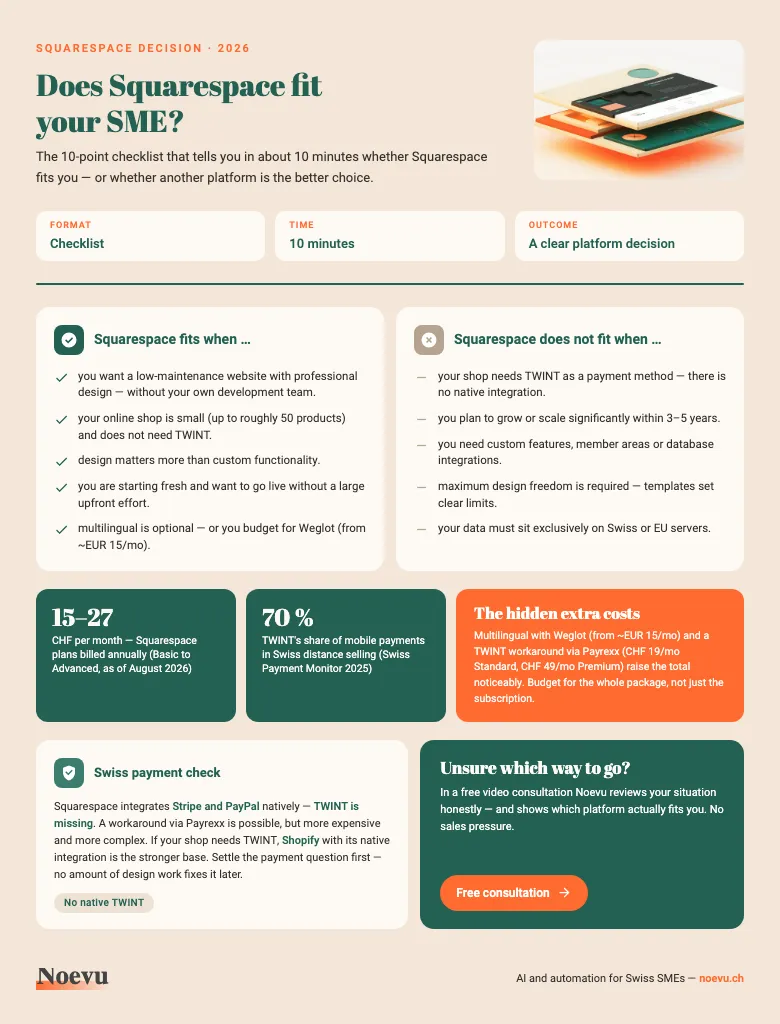
Squarespace suitability checklist: does it fit your SME?
The 10-point checklist as a PDF: in about 10 minutes you can tell whether Squarespace fits you — including the payment check (TWINT) and the hidden extra costs such as Weglot and Payrexx.
Thank you. Your download starts in a moment.
Design quality and design limits in Squarespace
Squarespace is known for its visually strong templates. Over 180 professionally designed layouts cover industries from hospitality to professional services. The design system is consistent: spacing, typography, and colour palettes are coordinated.
The advantage: a professional-looking website can be built quickly — without a design degree or agency. The barrier to entry is low, the visual standard high.
The limitation: templates define the underlying structure. Complex layouts, custom animations, or unusual page structures require custom CSS and JavaScript — which needs technical knowledge. Those who need maximum design freedom will hit limits quickly. A closer look at design possibilities and constraints is available in the article comparing Squarespace vs. Wix for Swiss SMEs.
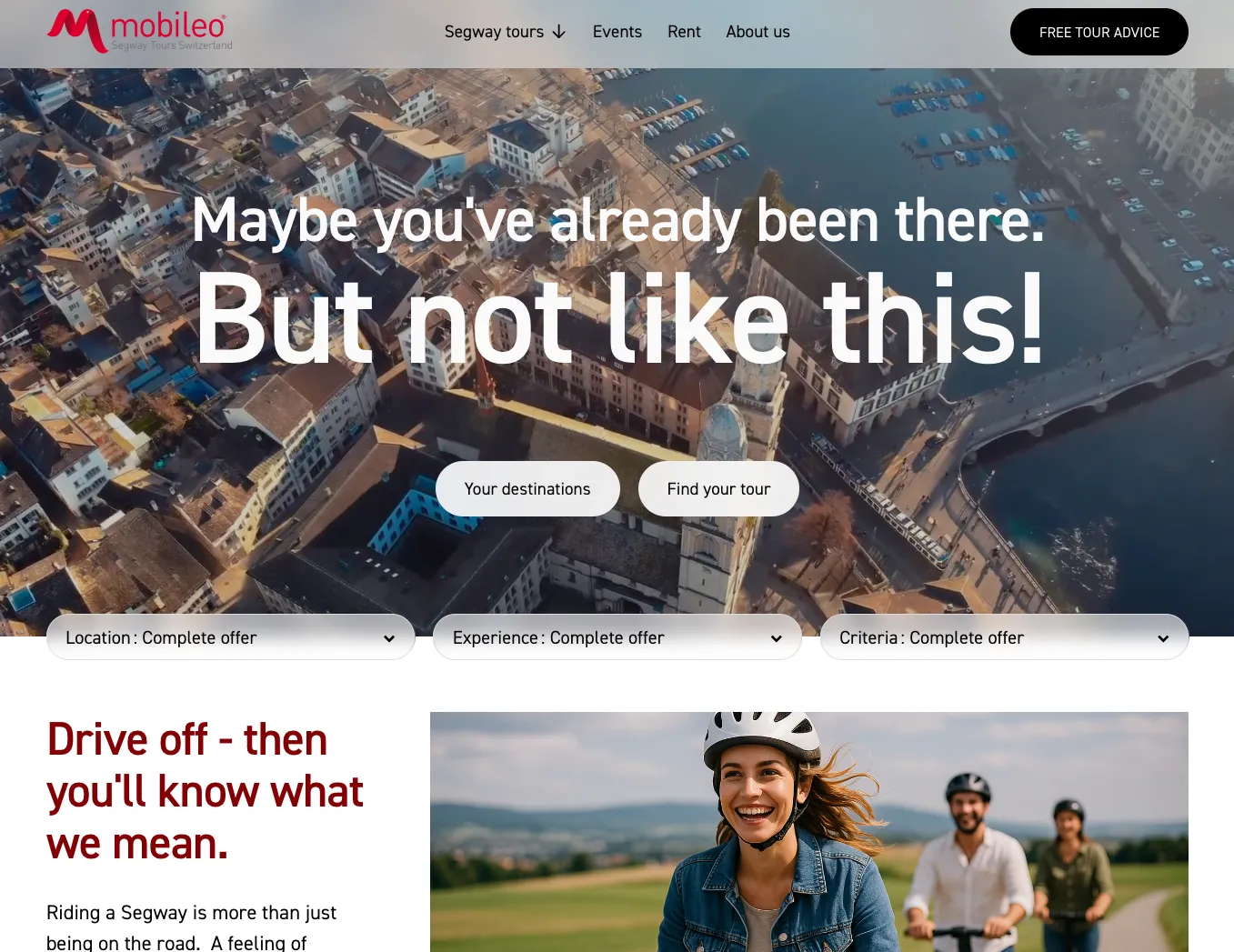
Custom CSS does open meaningful doors, though. For Vogel Dentaltechnik GmbH, targeted CSS work pushed the design well beyond what standard templates allow — the result feels like a custom build while running on Squarespace infrastructure. Similarly, mobileo needed custom tour filters inspired by how Airbnb presents experiences — something that required JavaScript beyond the drag-and-drop editor, but was entirely achievable on the platform.

Squarespace for e-commerce and TWINT
Squarespace offers full shop functionality from the Core plan onwards: product catalogue, inventory management, discount codes, digital downloads, and subscriptions. Stripe and PayPal are natively integrated — TWINT is not.
In Switzerland, TWINT is the most widely used payment method in online retail. A shop that can't offer TWINT loses a significant share of potential buyers. A workaround via Payrexx is technically possible but cumbersome and incurs additional costs.
For SMEs running a small shop without TWINT requirements (e.g. international audience, B2B, digital products), Squarespace is a solid choice. A notable example: Weinbau Wetli uses Squarespace Commerce with a custom checkout flow for purchase-on-invoice — a Swiss B2C requirement that needed tailored configuration but worked entirely within the platform. For all others, Shopify is worth considering — with native TWINT support and stronger shop functionality. Anyone building from scratch instead can have a website built.
Multilingual websites with Squarespace
Multilingual on Squarespace is handled by Weglot — and this is a genuine strength of the combination. Weglot translates content automatically via AI into one or more languages, generates independent SEO URL paths per language (/de/, /fr/, /en/), and keeps new content up to date on an ongoing basis. The effort for manual translation is practically eliminated.
The Weglot Starter plan costs ~EUR 15/mo for two languages — a real additional cost that should not be missing from the overall budget calculation. There are occasional Squarespace-specific quirks with the Weglot integration that require adjustments — most users won't encounter them. Those who do can count on support: these configuration questions can be resolved quickly.
What this looks like in practice is shown in the example of a multilingual website for a Bern-based social enterprise — built on Squarespace with Weglot integration. Wohnperspektive GmbH also benefits from automated translation — with no manual effort for every new page.
What Squarespace means for SEO
Squarespace delivers solid SEO foundations out of the box: meta titles and descriptions, clean URL structures, automatically generated sitemaps, SSL certificate, and mobile optimisation. Core Web Vitals are in an acceptable range for modern templates.
What Squarespace does not solve automatically for SEO: individually optimised technical structures, server-side rendering for complex applications, and granular control over load times. Structured data beyond the standard schemas — LocalBusiness, extended FAQ or ProductSchema — can be implemented on Squarespace with targeted technical support. This is an area where focused assistance can make sense.
When SEO strategy, content, and technical setup come together on Squarespace, results can be measurable. For Unitas Services, a Zürich-based security firm, combining structured data, local SEO, and content strategy on Squarespace resulted in a 192% increase in organic visitors and a 294% increase in average time on site within six months.
A common misconception: SEO is assumed to be automatically handled by Squarespace. Even here, SEO requires strategy, content, and time — regardless of the platform.
Blueprint AI and Beacon — Squarespace 2025/2026
In September 2025, Squarespace launched Blueprint AI — an AI-powered onboarding system that has fundamentally changed how websites are built on the platform. More than 50% of new customers now start with Blueprint AI instead of classic templates.
The approach: Blueprint AI asks 5–10 questions about the business, industry, target audience, and visual style. From this, the system generates a complete website draft — with page structure, copy drafts, image selection, and colour palette. In a matter of hours rather than weeks, there's a functional draft to work from.
Alongside this, Squarespace offers Beacon — an in-platform assistant for ongoing tasks: meta data, alt texts, SEO recommendations, and product descriptions are suggested with AI support. This noticeably reduces the effort involved in content optimisation.
Which industries benefit from Squarespace?
Squarespace is not a universal solution, but it is the right one for a well-defined range of industries. The common thread: businesses that need a polished online presence, manage predictable content, and want to avoid technical overhead. In practice, Squarespace runs in dozens of industries — from a Zurich law firm to an NGO project.
- Service providers — law firms, security companies, trades: Clear content structure, strong visual first impression, no complex shop required
- Healthcare and social sector: Clinics, therapists, NGOs, and foundations that need a trustworthy, low-maintenance presence
- Tourism and hospitality: Hotels, tour operators, and activity providers — especially with Weglot for multilingual and custom booking integrations
- Traditional trades: Carpenters, architects, and specialist craftspeople who want their portfolio to reflect the quality of their work
- NGOs and foundations: Organisations needing a professional web presence on a constrained budget with minimal ongoing maintenance
Alternatives for Swiss SMEs
There is no objectively best system — only suitable or unsuitable. Squarespace is a strong option for a well-defined audience. For other requirements, better-suited platforms exist. A structured comparison of CMS options for Swiss SMEs is available in the CMS check for Swiss SMEs.
Detailed comparisons are available in the articles Squarespace vs. Wix and Squarespace vs. Webflow. A structured overview of all common CMS options is available in the CMS check for Swiss SMEs.
Ready to build it yourself?
This article covers whether Squarespace fits your situation. If your answer is yes and you want to set it up yourself, the step-by-step guide walks you through every stage — from template selection to go-live.
- Step-by-step guide: Creating a Squarespace website 2026 — covers registration, template selection, Fluid Engine editor, domain connection, and SEO setup
Conclusion
Squarespace can do surprisingly much out of the box — and for many SMEs it is genuinely a fully capable all-rounder. Design, e-commerce, multilingual via Weglot, AI-powered content creation: that's a strong combination. Blueprint AI has further shortened the initial effort, and getting started is faster than ever.
For very specific or demanding requirements — TWINT, significant scaling, custom functionality, or maximum design freedom — the platform hits structural limits. These are clear and honest: no plugin fully resolves a missing TWINT integration. If your requirements fall there, a different system is the smarter choice from the start.
The difference between DIY and agency work on Squarespace is not about technical difficulty — the platform is genuinely accessible. It's about strategy and custom code. An agency brings content structure informed by your audience, custom CSS and JavaScript that pushes design beyond templates, and structured data that makes search engines work harder for you. For straightforward websites, self-build is a realistic option. For anything that needs to convert visitors into clients, a professional foundation pays for itself.
If you're unsure whether Squarespace fits your situation — a brief conversation often helps more than any checklist. Get in touch and explore the options without sales pressure.

Not sure whether Squarespace or another platform fits your situation? In a free video consultation, the options are reviewed honestly — without sales pressure.
Frequently Asked Questions
How much does Squarespace cost for Swiss SMEs?
Squarespace starts from CHF 15/mo (annual billing, Basic plan, as of August 2026). The Core plan starts at CHF 21/mo annually, Advanced at CHF 27/mo. Billed monthly it is CHF 21, CHF 30 and CHF 39. Weglot for multilingual (from ~EUR 15/mo) and a TWINT workaround via Payrexx (Standard CHF 19/mo, Premium CHF 49/mo) add to the total.
Does Squarespace support TWINT?
No. Squarespace does not offer native TWINT integration. For Swiss online shops, this is a significant issue: TWINT accounts for around 70% of mobile payments in Swiss distance selling (Swiss Payment Monitor 2025). Not offering TWINT effectively excludes two-thirds of mobile shoppers. A workaround via third-party providers like Payrexx is possible but adds complexity and costs.
Can I create a multilingual website with Squarespace?
Yes — and the combination with Weglot works very well. Weglot translates content automatically via AI, generates separate SEO URL paths per language, and updates new content on an ongoing basis without manual effort. The additional cost is real: Weglot starts at ~EUR 15/mo for two languages and should be factored into the overall budget.
Is Squarespace GDPR and nDSG compliant?
Squarespace is generally GDPR-compliant: Standard Contractual Clauses (SCCs), GDPR-compliant cookie banners, and Data Processing Agreements are in place. Swiss nDSG compliance follows through the same mechanisms. Specific legal questions should be clarified with a data protection specialist.
What is Blueprint AI in Squarespace?
Blueprint AI is Squarespace's AI-powered onboarding tool. It asks 5–10 questions about your business, industry, target audience, and visual style — then generates a complete website draft including page structure, copy drafts, and image selection. More than 50% of new Squarespace customers now start with it instead of classic templates.
Can I run an online shop with Squarespace?
Yes, Squarespace offers integrated shop features — a simple store already on the Basic plan, and the full feature set from Core onwards. Stripe and PayPal are supported natively. TWINT is not available natively. For smaller shops without TWINT requirements and up to ~50 products, Squarespace is a solid choice. For larger or growing shops, Shopify is the stronger alternative.