

What the free CMS check gives you
Start the CMS check now
What is a CMS check?
A CMS check, also called a CMS test or CMS comparison, works out which content management system suits a website. The questions are about your day-to-day work: who maintains the site, how many languages it needs, where data may live. The result is a recommendation for one specific system.
The same name is also used for tools such as Wappalyzer, which detect the CMS behind someone else's website. Those aren't what this is about.
Which CMS suits your SME?
Behind the four systems are three ways of building and maintaining a website. Sanity and Payload are headless CMSs that keep content separate from design. An agency or an in-house developer sets the system up once; after that, you maintain the content yourselves.
Squarespace is a site builder you can go live with on your own. WordPress sits in between: you can set it up yourself or with an agency, there is a plugin for almost everything, and updates and maintenance stay with you for good.
Sanity and Payload: content systems with your own design
Both systems separate what you write from how it looks. The design is fixed during the build and stays the same no matter who enters content. Multiple languages are built in, and AI assistants can edit content through interfaces. The difference lies in what they're used for.
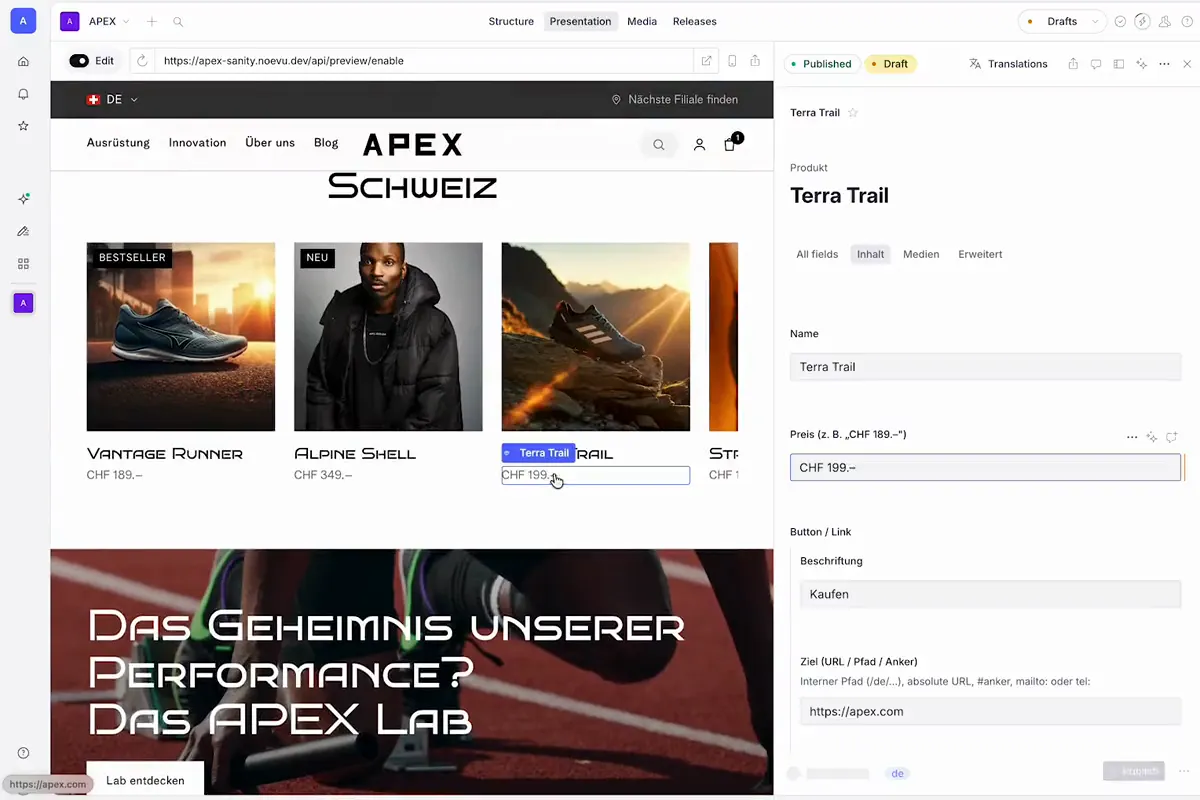
Sanity comes with an editor with AI help, including translation in the studio. Sanity keeps the platform up to date itself, and the content lives in the EU. That makes Sanity the default answer when an editorial team writes and the look should stay consistent. How Noevu builds Sanity websites is shown on the Sanity CMS agency page.
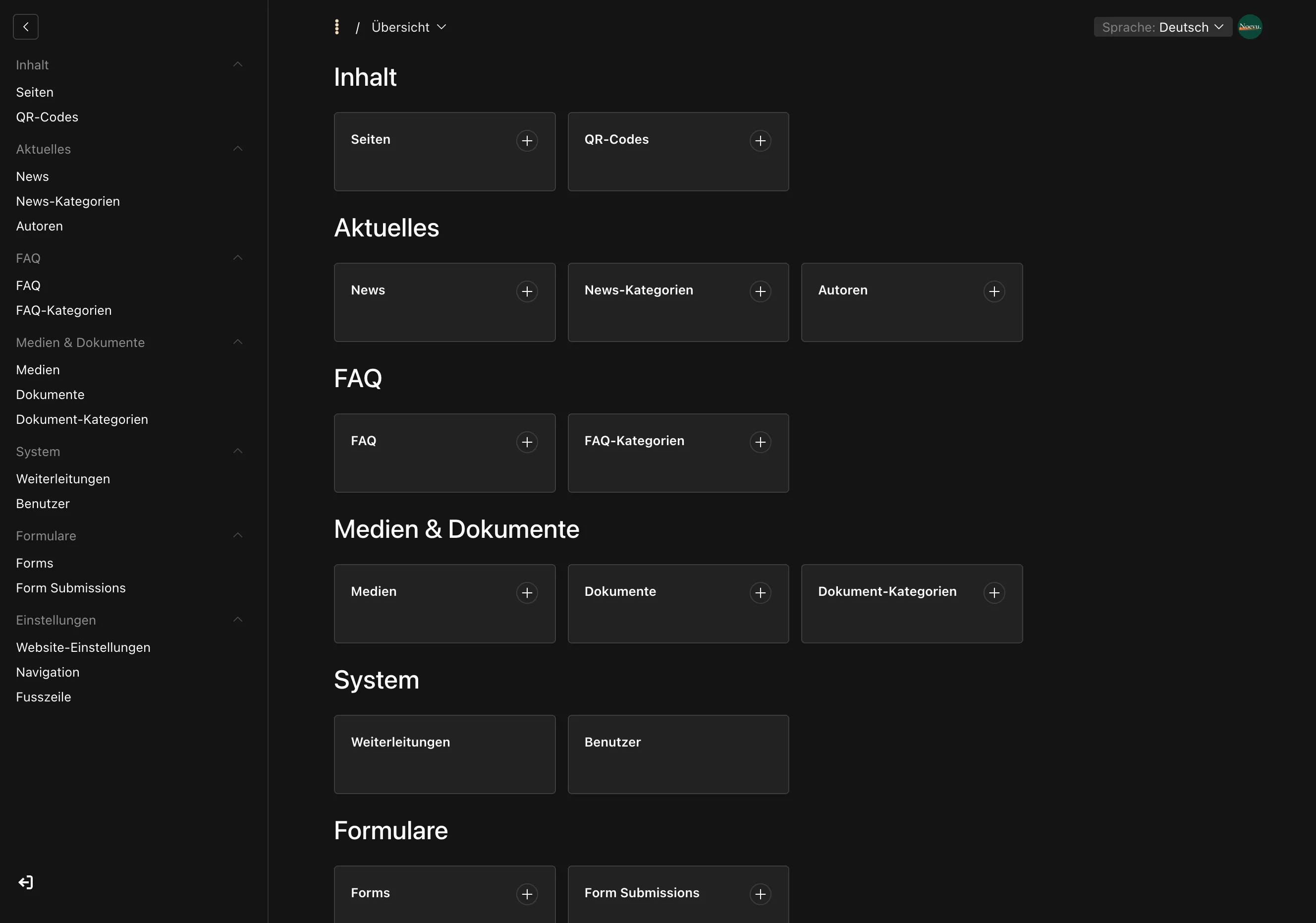
Payload does more than manage content: user accounts, fine-grained permissions and your own data are built in. It runs on a server of your choice, in Switzerland if you want.
Squarespace: the site builder for doing it yourself
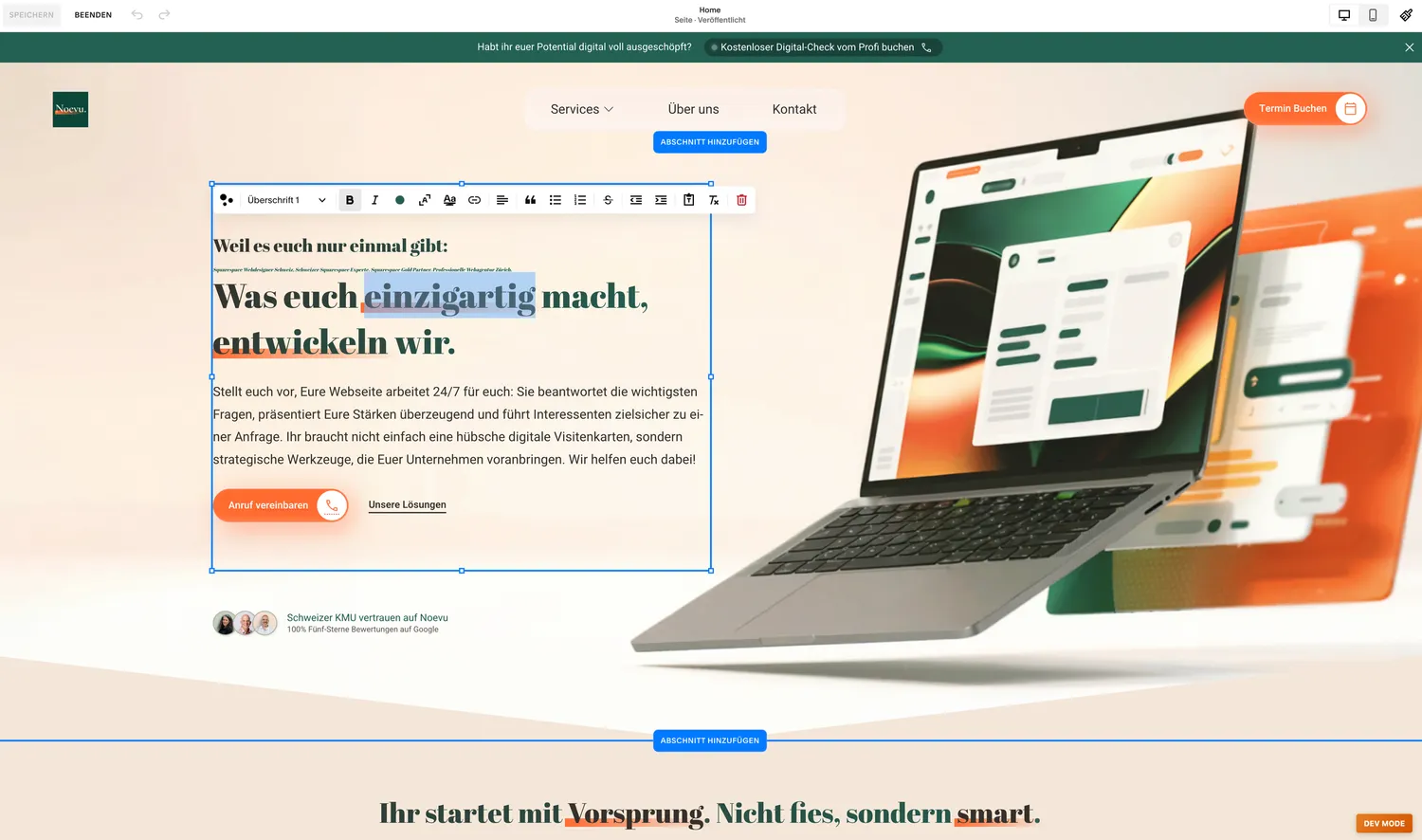
Squarespace is a mature site builder. Pick a template, add text and images, go live – you can do that without an agency. Hosting, updates and security are part of the subscription.
The limits show with special requirements. A custom design runs up against the limits of the templates. Multiple languages only work through the add-on service Weglot, and the data lives in the USA.
WordPress: a plugin for almost everything
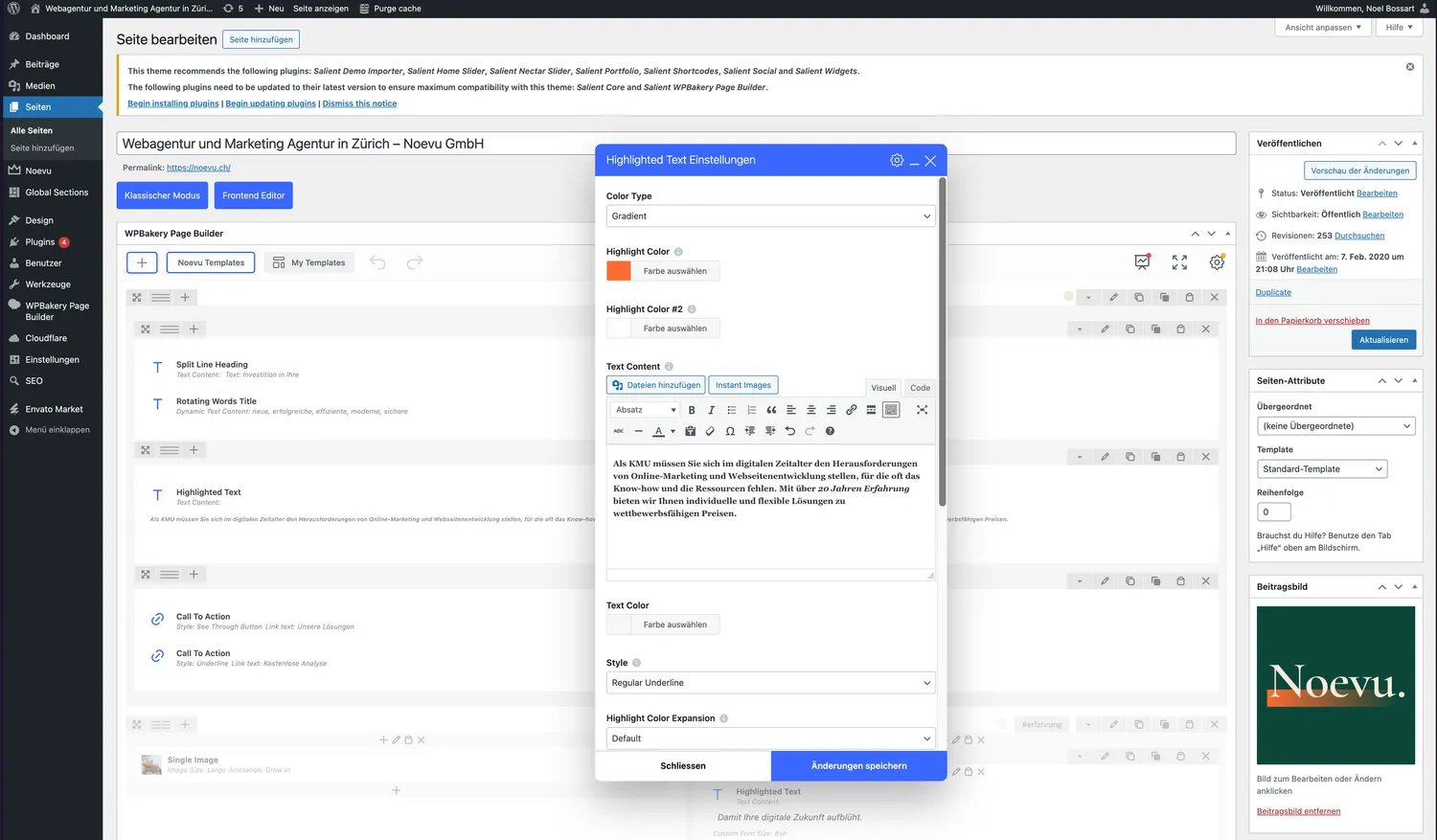
WordPress is the most widespread system, and there is an extension for almost every feature. The software itself costs nothing. The effort comes from updating core, theme and plugins, plus security and keeping the extensions compatible with one another.
Multilingual support isn't built in and comes through a plugin like WPML. In the CMS check, WordPress most often comes out ahead for modest template-based sites where Squarespace doesn't compete.
Four CMSs compared
The table sets the four systems side by side on the points that make the difference in daily use.
| Sanity | Payload | Squarespace | WordPress | |
|---|---|---|---|---|
| Build | Agency or in-house developer | Agency or in-house developer | DIY, with a template | DIY or with an agency |
| Content editing | Fields, live editor, AI help | Fields and roles, live preview | Site builder, anyone moves anything | Page builder, depends on the theme |
| Design | Free, stays stable while editing | Free, stays stable while editing | Templates, limited freedom | Themes, plugins interfere |
| Languages | Built in, translation in the studio | Built in | Only via Weglot | Via WPML, ongoing maintenance |
| Data location | EU | Server of your choice, Switzerland included | USA | Server of your choice, Switzerland included |
| Accounts and roles | Editorial roles, customer accounts external | Accounts, roles, own data | Member area | Roles built in, accounts via plugins |
| Operations | Platform updates itself | Own server, own updates | Included in the subscription | Maintain updates and plugins |
| Running costs | User seats plus support | Server plus support | Monthly subscription | Hosting, plugins, maintenance |
As of September 2026.
How the CMS check scores
Most answers distribute points across the four systems. Several people editing content at the same time, for example, count for Sanity and Payload and against Squarespace and WordPress. What matters at the end is the total. In a tie, the order is Squarespace, Sanity, Payload, WordPress.
Squarespace only competes if you build the site yourselves and have no budget for support. Otherwise it drops out, because a system that someone sets up can do more afterwards: your own design, multiple languages, your own data.
Below the recommendation are up to two answers that spoke most strongly for it and the one that spoke most strongly against it. If a system still in the running is no more than two points behind, that is shown as well. Noël Bossart reviewed and approved every weight individually, with 25 years of web development as the benchmark.
If your answers point to Sanity or Payload but you want to build it yourself or have no budget, the test names that contradiction. Both routes work: bring in someone for the build, or start right away with a site builder. Some of what you want then gets left out.
Three questions that count for more than points
Three questions hit harder than the rest. Data location and TWINT take systems out of the running entirely, and if selling is your business, the shop goes to Shopify.
Where your data may live
If the EU is enough, Squarespace drops out because it hosts in the USA. If it has to be Switzerland, Sanity drops out too. Its content lives in the EU, and it can't be self-hosted. That leaves Payload and WordPress, both of which can run on a Swiss server.
Whether selling is your business
If the website is mainly a shop, Shopify takes over: checkout, shipping and TWINT are built in. If the site also has a purpose of its own, such as its own design or several languages, it gets its own system alongside Shopify. If that system is Sanity, Sanity Connect keeps products, variants and collections in sync with Shopify.
If you also require data in Switzerland, Shopify doesn't fit. The result names that contradiction instead of glossing over it.
Whether you need TWINT
The TWINT question only appears if you sell through the site. Squarespace Commerce doesn't support TWINT, so Squarespace drops out on a yes. Shopify has TWINT out of the box; WooCommerce connects it through a Swiss payment provider.

The first question is: who sets up the website? If you build it yourselves with no budget for support, Squarespace serves you well. If you have it set up, Sanity is usually the right answer. Payload fits better once user accounts, fine-grained permissions or data location in Switzerland come in.
Common misconceptions when choosing a CMS
Three assumptions often get in the way of choosing a CMS.
"WordPress is free"
The software is open source. Hosting, premium themes and plugins, updates and security cost money every year, and the bill grows with every extension. Comparing only the entry price shows a small part of the cost.
"A headless CMS always needs developers"
Developers are needed for the build: the content structure, the input forms and the visible website. After that, your team maintains posts, pages, images and translations. The predefined design protects the site, because it stays the same whoever writes. At Noevu, updates and smaller changes are covered by the service package at no extra cost.
"A site builder is the cheapest choice"
For a small site you build yourselves, that's true. Once an agency sets it up, you pay for the build anyway. On Squarespace it tends to cost more, because someone assembles every page by hand in the editor. With Sanity or Payload, an agency builds the content structure and website with AI tools, which is faster. Afterwards, the system can do more: your own design, multiple languages, your own data.
From result to next step
With the result of the CMS check, you know which system fits your answers and which answers spoke most strongly for and against it. A first conversation then starts with your situation rather than with basics.
If a new build is next, take a look at custom website design. You can start the CMS check here – free, in about five minutes.

In a free video call, you discuss the recommendation for your website – and what building with the recommended system involves.
Frequently Asked Questions
How long does the CMS check take, and do we need technical knowledge?
The test has fifteen questions and takes about five minutes. It asks about your day-to-day work: who maintains content, how many languages you need, where your data may live. You don't need to know any technical terms.
Is the test objective, or does it always end with the system Noevu builds?
The result has two separate parts. At the top is a recommendation that holds regardless of any agency and responds to your answers. Below it, clearly set apart, is whether and how Noevu can help. The test also recommends Squarespace, WordPress or Shopify as a pure shop – results with no Noevu build project behind them.
Sanity or Payload – how do the two differ?
Both separate content from design, and in both you maintain content without technical skills once the system is set up. Sanity is the default answer: its editor comes with AI help and translations, and the platform keeps itself up to date. Payload fits once user accounts, fine-grained permissions or data location in Switzerland come in.
Why does the test ask about data location and TWINT?
Both answers rule systems out rather than just shifting points. Industry or data protection rules often decide where data may live, and TWINT is a widely used payment method in Switzerland. Squarespace hosts in the USA and doesn't support TWINT. Sanity stores content in the EU and drops out as soon as Switzerland is required.
Our result surprised us. How did it come about?
Below the recommendation are the answers that spoke most strongly for and against it. If another system is close behind, the result shows that too. Whether a single requirement should really tip the balance is something we're happy to talk through in a short, free call.
What happens to our details?
To show the result, the test asks for your name, company and email address. The details go to Noevu by email and stay there. We don't sell them on, and we won't add you to a newsletter without your say. You can share the result link; it contains only your answers – no name, no address.
What drawbacks of WordPress are often overlooked?
The biggest cost is running it. Core, theme and plugins need regular updates, and any update can break an extension. Multilingual support isn't built in and comes through a plugin like WPML, which needs ongoing care. Over the years, hosting, premium plugins and maintenance add up.