
Strapi is an open-source editorial system with a clear interface, roles and approvals. It runs on your server or with a Swiss provider, so your content stays in Switzerland. Through APIs, the content appears on your website, in apps or in other systems.

Strapi CMS Agency Switzerland: your content on your server
Flexible headless CMS for Swiss editorial teams
When Strapi pays off
For teams that publish together and choose their own data location
Where Strapi is used
Three situations where Strapi is the right choice

Editorial teams with roles and approvals
Authors write drafts, editors approve. Strapi ships with three roles, more come without an extra licence. For associations, public administrations and institutions with several writers.
Existing Strapi installations
Strapi is already running and your team knows the interface. When you move to Strapi 5, your content stays in place, and a new website built with Astro sits on top of it.

Data on your own or Swiss infrastructure
Strapi runs where you decide: on your server or with a Swiss provider. For social insurance data, member data and public-sector content, the data location is often a requirement.
The Strapi admin in action
Edit, preview, publish
The screencast shows the Strapi admin in daily use: open a page, change a section and check the result in the preview on desktop and mobile before it is published or discarded. In the media library every image gets a focal point, so the crop fits on every screen.
Benefits and facts
Strapi at a glance
 Open Source
 Community Edition, no licence fees
The Community Edition is open source, with no licence fees for the software. Roles, draft and publish as well as translations are included.
Integrations
Connects to websites, apps and systems
APIs deliver the content to your website, an app or existing systems. If you wish, changes trigger automated workflows.
 Data location
 Self-hosted, on your server
Strapi runs on your server or with a Swiss provider, database and media stay in the same place. Strapi Cloud offers no Swiss data location.
 Editing
 Input forms for everyday editing
After the build, your editorial team maintains posts, pages, images and translations itself. The input forms show only the fields a piece of content needs.
 Design
 The design framework stays predefined
The design framework is predefined and protects the appearance, whoever writes.
 Website and operations
 Fast website, extensible system
The Astro website delivers finished pages, so it loads fast. New content types, languages or extensions are added without rebuilding the system. The service packages cover hosting, updates, daily backups and smaller adjustments.
Process
Four steps from review to operations
Review
Check what exists, clarify the goal
A conversation clarifies roles, approval paths, languages and data location. With an existing Strapi installation, version, extensions and content structure join the list. At the end, the path is clear: continue with Strapi, move to Strapi 5 or start fresh.

Clickable preview
See what you get — before the quote
A working preview shows the new website with real content, before anything is signed. The binding fixed-price quote follows on that basis. No pig in a poke.

Build
Content structure, roles, website
Content structure, roles and approvals follow your organisation, and the Astro website delivers finished pages. AI helps move existing content from Typo3, WordPress or an older Strapi version into the new structure. Custom features such as an FAQ search, a PDF generator or an appointment calendar are added in the same step. An introduction gets your editorial team ready to go.

Operations
Operations run in the service package
The service packages cover hosting on your own or Swiss infrastructure, updates, backups and support. Smaller adjustments are included, and the system is monitored with AI assistance.

Your Strapi project starts with a conversation.
A free video call clarifies roles, approval paths, languages and data location, and for an existing installation its current state. A clickable preview and the binding fixed-price quote follow.

Request advice on Strapi and headless CMS:
Vielen Dank! Wir melden uns in Kürze.
Strapi 5
Strapi in practice: articles and reference
The Strapi article, the AIHK case study and a piece on why the editing interface decides a website's success.
 Article
Web design12 minStrapi CMS: The Open-Source Headless CMS for Swiss SMEs — and When It Pays OffStrapi CMS is considered the open headless system for teams that want full control over their data. The more important question comes up in operations, though: who builds the system, and who runs i…
 Article
UX & Content Strategy9 minEditor-friendly CMS: why the admin interface decides whether your website succeedsWith a new website, all eyes are on the visible side — design, speed, copy. Hardly anyone asks how the site can be maintained afterwards, and that is exactly what decides whether content stays curr…
 Project
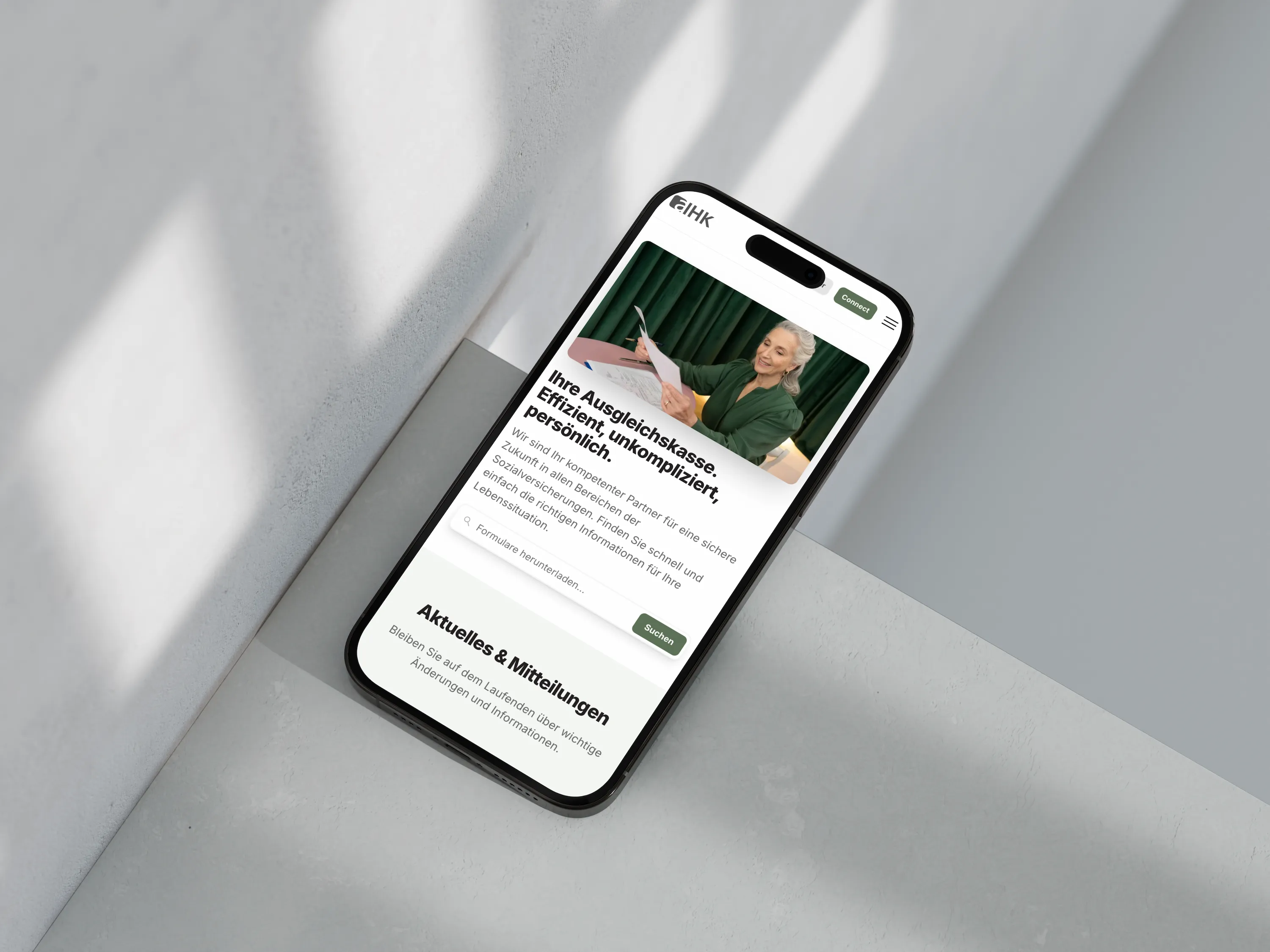
Web design8 minWebsite for a compensation office — an application form that saves the workThe AIHK social insurance fund in Aarau wanted to replace its outdated Typo3 site. The result: a modern website whose content the AI took over entirely — instead of the handful of sample pages the …
All posts Answers to common questions about Strapi:
Do you take over an existing Strapi installation?
Yes. We start by reviewing the installation: Strapi version, extensions, content structure, hosting and who holds which rights today. Strapi 4 stopped receiving security updates in April 2026, so we plan the move to Strapi 5 right away. Your content stays, and we rebuild the website with Astro where needed. If you wish, operations move to your own or Swiss infrastructure and then run under a service package with updates, backups and support.
How do roles and approvals work in Strapi?
Strapi ships with three roles: Author, Editor and Super Admin. Authors create and edit their own content, Editors approve and publish, the Super Admin manages the settings. We add further roles with their own rights in the Community Edition without an extra licence, and draft and publish is built in. Content history belongs to the paid Growth plan, multi-step review workflows to the Enterprise plan. Which plan you need is decided by your approval paths, not by the size of your team.
What separates Strapi from Sanity and Payload?
All three are strong headless CMS platforms, with a thoughtful editing interface, open APIs and multilingual content. Strapi brings roles and approvals without an extra licence and runs self-hosted, on your server or in Switzerland. The headless CMS overview puts Sanity, Payload and Strapi side by side.
What does a website with Strapi cost?
The build starts from around CHF 12,000. The price depends on content types, languages, roles and features such as search or an appointment calendar. Every project gets a binding fixed-price quote, so the scope is settled before work starts.
The Community Edition costs no licence fee. If your team needs content history or multi-step approvals, a Growth or Enterprise licence comes on top. Hosting and the service package are also listed in the quote.