
Creating wireframes: the plan before the design
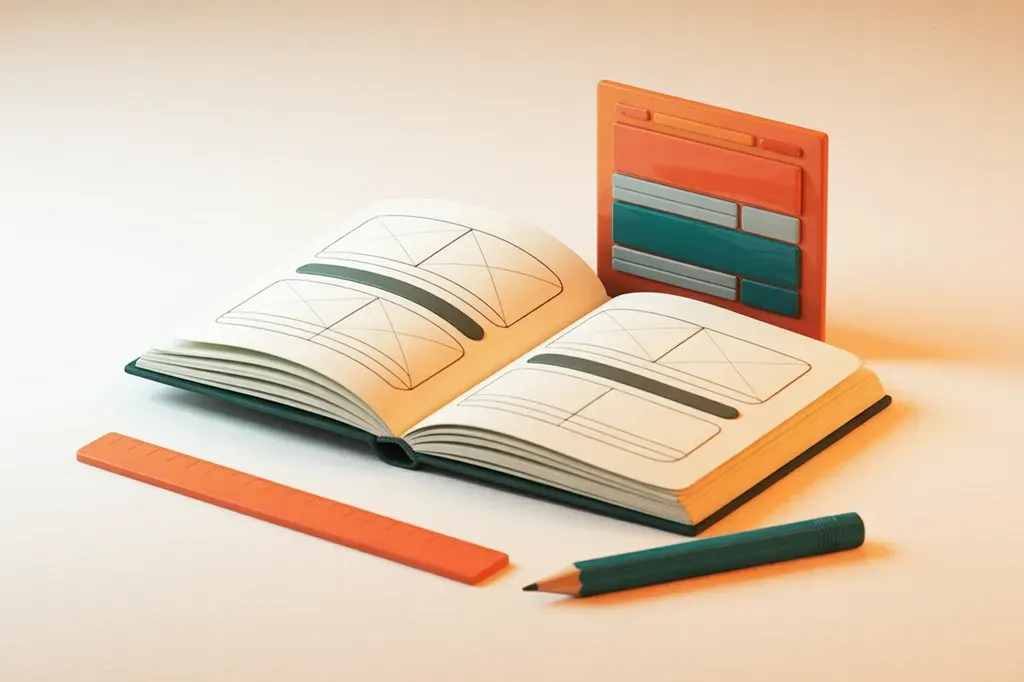
A wireframe is the structure sketch of a page. It shows blocks, order and navigation and leaves out colours, images and fonts. The Interaction Design Foundation describes it as a simple representation that outlines the structure and layout of a page.
Leaving things out is deliberate. Without colours and photos, the structure moves into focus. What do visitors learn first, and where can they get in touch?
What is a wireframe – and what is a mockup or prototype?
In conversations with agencies, three terms come up that often get mixed up. They describe stages of the same work, from the rough structure to the clickable preview. The Nielsen Norman Group describes such stages as fidelity: how close a draft is to the finished system. A prototype also differs in that it responds to clicks.
| Wireframe | Mockup | Prototype | |
|---|---|---|---|
| Everyday word | Structure sketch | Visual preview | Clickable preview |
| What it shows | Structure, order and navigation | Look with colours, fonts and shapes | Flow: one click leads to the next view |
| Colours and fonts | No, placeholders only | Yes | Depends on the stage |
| Clickable | Usually not | Usually not | Yes |
| Typical question | Is the most important thing at the top? | Does the look fit the brand? | Do visitors find the way to the enquiry step by step? |
Sources: Interaction Design Foundation (wireframe, mockup), Nielsen Norman Group (fidelity). The prototype column summarises common definitions.
There is a reason the wireframe comes first. With the wireframe, you decide on the structure, with the mockup on the look, with the prototype on the flow. Whoever starts with the mockup discusses structure and look in one round. Feedback then easily jumps back and forth between layout and colour choice.
Not every agency means the same by these terms. The Interaction Design Foundation treats mockups as ranging from rough to fully worked out. Ask in the briefing what is meant: only the structure, the look or a clickable flow.
Why wireframes come before the design
The research on this is thin. Landay and Myers reported anecdotal evidence in 1995: a rough draft was said to be clearly more useful in early meetings. They quote Black, who held that the finished look of a draft distracts from basic questions of structure.
A draft that looks finished therefore tends to draw feedback to details such as the colour of a button. A rough draft tends to keep it on the structure.
Paper is fast. The Nielsen Norman Group calls paper prototypes one of the fastest and cheapest techniques in the design process. That also holds for wireframes on paper: a new idea is a new sheet.
Accessibility belongs in early planning. The W3C advises planning for it from the start, so that design decisions do not have to be changed expensively later. In the wireframe, you already check order, headings and button texts. What this means for Swiss SMEs is covered in the article on web accessibility for Swiss SMEs.
It is often said that a late change costs a hundred times more than an early one. The figure comes from software development and is disputed. Boehm and Basili, whose work the figure comes from, wrote in 2001 that it often applies. For small, non-critical systems, they say, the ratio is closer to five to one. Menzies and others found no evidence for the effect in 171 projects in 2016. For websites alone, no reliable figure is known. Speed, feedback on the structure and early accessibility planning are reason enough for a wireframe.
How to create a wireframe in about an hour
For one page you need paper, a pen and, as a rule of thumb, about an hour for all six steps. That is an estimate, not a measurement, and it applies to a page like the homepage in the example. The method stays the same whether you sketch yourself or give an agency a briefing.
- 1. Write down the goal of the page in one sentence Write down who visits the page and what should happen next. One sentence is enough, for example: visitors are looking for a carpentry shop; afterwards they should book an initial consultation.
- 2. Collect the content and order it by importance Note each piece of content on a slip of paper: services, references, contact, prices. Sort the slips by the goal from step one: whatever serves it most goes on top.
- 3. Draw the blocks as rectangles Draw one rectangle per piece of content, from top to bottom – images as a rectangle with a cross, text as bars. The sketch may be messy.
- 4. Label it with real text Write the real headline, not placeholder text, and leave body text as bars. Buttons get a word for the action, such as “Book a call” instead of “More”.
- 5. Draw the phone view right along with it Draw the page a second time, narrow, with the same blocks stacked. That shows what comes first on the phone.
- 6. Have two people explain the wireframe back to you Show the sheet to someone who knows your company and someone who does not. Have both say in their own words what it is about and where they would look for the enquiry.
The Nielsen Norman Group backs this approach on three points. It advises ordering content by importance before the layout is set, and giving calls to action a text label. For rough wireframes, it explicitly says messy sketches are fine.
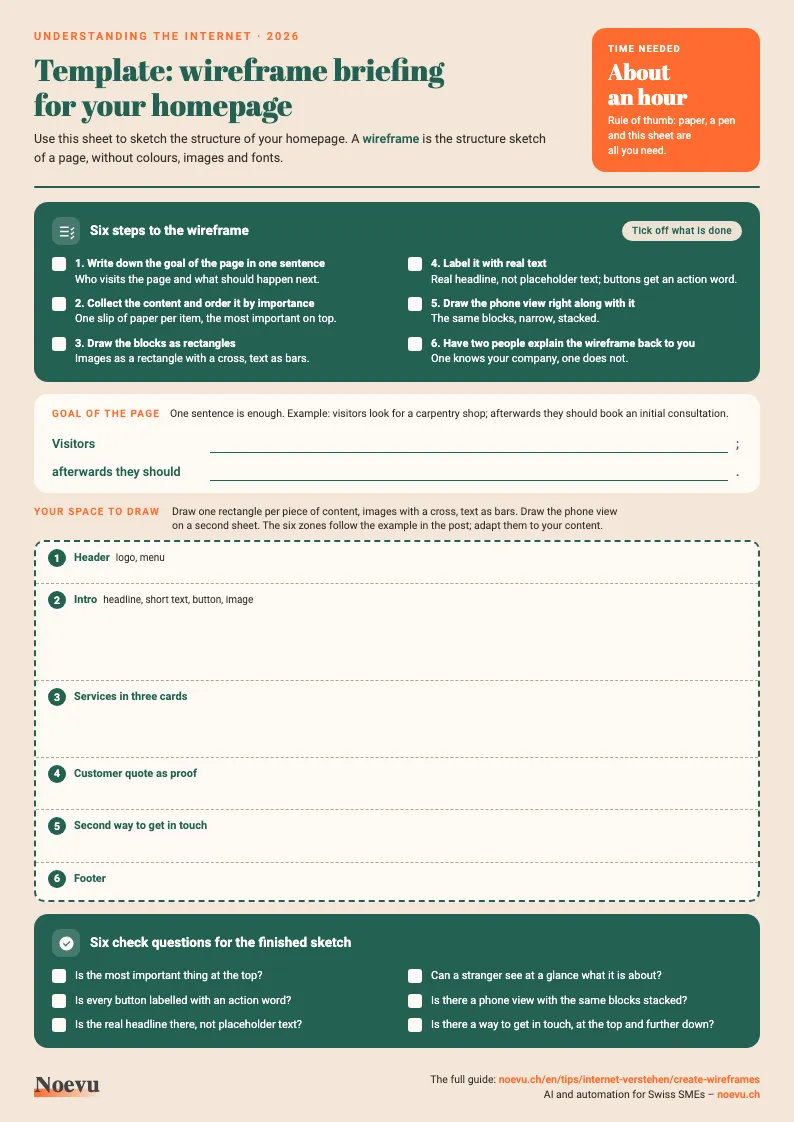
Template: wireframe briefing for your homepage
The sheet guides you in six steps to a sketch of your homepage, with blocks to label, room to draw and six check questions.
Thank you. Your download will start shortly.
Tools for your first wireframe and what they cost
The tool is secondary, because a sketch on paper is a full wireframe. If you want to work digitally, there are free entry plans. The details come from the vendors’ own pages, as of 19 October 2026.
| Cost | Key vendor statement | |
|---|---|---|
| Pen and paper | Costs nothing | No account needed |
| Excalidraw | Free, open source | No account needed |
| Figma | Starter plan free | Three files (design or sites) in the team folder, drafts unlimited |
| Miro | Free plan | Three editable boards |
| Whimsical | Free plan | 50 objects per month, watermark on export |
| Balsamiq | No free plan | 14-day trial without a credit card |
Sources: pricing and help pages of Excalidraw, Figma, Miro, Whimsical and Balsamiq, as of 19 October 2026. Plans and limits change.
If your agency works with one of these tools, ask which one it sketches in. It can then usually develop your drafts further without a detour.
When a wireframe is not worth it
If the website is a single page with a clear goal, such as a contact page, it usually does not need a wireframe. For a relaunch with several pages, a menu and forms, it is usually worth it. The more pages and flows come together, the more questions in the design the sketch saves.
A wireframe sets the structure and content of a page, nothing more. Colours, fonts and imagery follow in the design. The goals and message of the relaunch come before that, in the conception, and the goal of the page in step one. How the conception works is shown in the article on website conception before the relaunch.

A short conversation shows which pages you sketch first and which content should be ready for them.
Frequently Asked Questions
What is a wireframe?
A wireframe sets out what goes where on a page before anyone designs it. It shows blocks, order, navigation and buttons, but no colours or photos. You draw it on paper or in a tool.
What is the difference between a wireframe, a mockup and a prototype?
The wireframe shows the structure, the mockup the look with colours and fonts, and the prototype a clickable flow.
How long does it take to create a wireframe?
For one page, plan on about an hour as a rule of thumb for all six steps. That covers the goal, ordering the content and feedback from two people. This is an estimate, not a measurement. If the goal and content are ready, it goes faster. The time usually goes into ordering the content, less into drawing.
Do I need a tool to create wireframes?
No. Pen and paper are enough for a full wireframe. Digital tools help when several people work on it or when the sketch should later move into the design. Excalidraw, Figma, Miro and Whimsical offer free entry plans.
Do I need a wireframe for a small website?
If the website is just one page with a clear goal, usually not. Once several pages with a menu and forms come together, a wireframe saves questions and corrections in the design.
Do I have to create the wireframe myself, or does the agency do it?
Both work. With your own sketch, you bring what matters to you, and the agency develops it further. At Noevu, a relaunch starts with conception. You set goals, audience and message together with us. More under Custom website design.