

When a Shopify cookie banner is really needed in Switzerland
The obvious answer is: it depends. And that is not an excuse, it is the heart of the matter. Whether a Shopify store needs a cookie banner is not decided by a registered office in Zurich or Bern, but by the reach of the offering. If you sell exclusively within Switzerland and only set essential cookies, the requirements are manageable. But as soon as advertising and analytics tags run along and the store is open to the EU market, the picture changes.
The reflex of many store owners is to ask about Swiss law first. The more useful counter-question is: who are you addressing? That perspective turns the discussion from the statute to the audience — and suddenly makes the answer clear.
A cookie banner is not required by law for every store in Switzerland. In practice almost every Shopify store needs one anyway — because it uses tracking services and is reachable for EU customers. The question is rarely whether, but how cleanly.
revDSG, GDPR and the FDPIC's practice — briefly placed in context
Two sets of rules shape the field. The revised Data Protection Act (revDSG) has applied in Switzerland since 1 September 2023. It relies on transparency: in a privacy policy you have to disclose which data you process and why, and give the people concerned a way to object. It does not explicitly require active consent before cookies are set — it follows an opt-out logic.
The European General Data Protection Regulation (GDPR) is stricter. It requires prior, active consent before non-essential cookies fire — the classic opt-in. It applies as soon as you address people in the EU, for example with shipping to EU countries or prices in euros. The Federal Data Protection and Information Commissioner (FDPIC) oversees Swiss practice and places value on clear, honest information rather than hidden clauses.
For a store with a mixed customer base a simple rule follows: the stricter standard governs the approach. Whoever gathers consent to the EU standard also satisfies the Swiss requirements — not the other way around. For how this interlocks with the rest of a Swiss company's data protection duties, see our article on data privacy for Swiss SMEs.
This guide offers orientation, not legal advice. For a binding assessment of your specific case, bring in a specialist in data protection law.
The native Shopify consent banner: what it can do
Shopify ships its own consent banner, activated through the store's privacy settings. It comes at no extra cost, is set up within minutes and works together with Shopify's customer privacy interface. Depending on the region it blocks tracking automatically — for EU visitors it applies more strictly than for Swiss visitors.
For a lean store with few services that is often enough. The limits show as soon as things get more complex: many marketing tags, several languages, the wish for a clean record of every consent. That is when the native banner hits its ceiling.
What it covers
- Built into Shopify, no extra tool
- Active in minutes, no programming
- Blocks tracking automatically by region
- Supports Google Consent Mode v2 in principle
Where it falls short
- No automatic scan of the cookies actually set
- Little room for design and languages
- Proof of consent only to a limited degree
- Fine-grained rules per country and service barely possible
Dedicated consent tools compared
A consent management platform (CMP) is a specialised tool with just one job: to collect, manage and prove consent. It is embedded into the store and takes over the banner, the categorisation of the cookies and the logging. The effort to set it up is a little higher than with the native banner — in return the room to manoeuvre is considerably greater.
| Native Shopify banner | Dedicated CMP | |
|---|---|---|
| Setup | Built into Shopify, active in minutes | Separate tool, a bit more effort to set up |
| Cookie scan | No automatic scan of the cookies set | Scans the store and lists every service |
| Control per country and service | Coarse, tied to the region | Fine, rules per market and per service |
| Design and languages | Tied to the theme, little room | Freely adaptable to brand and several languages |
| Proof of consent | Limited | Logs every consent in an audit-proof way |
Three platforms come up regularly in the Swiss and European market. Here they stand side by side, neutrally — there is deliberately no confirmed Noevu favourite, because the right choice depends on the individual store.
Usercentrics
- Provider from Munich, geared to GDPR and revDSG
- Broad integrations, also for larger stores
- Detailed management and documentation of consent
Cookiebot
- Part of Usercentrics, known for its automatic cookie scan
- Simple connection to Shopify
- A good entry point for small to medium stores
Consentmanager
- German provider with many languages
- Supports the IAB standard for advertising consent
- Often an affordable entry point, flexibly configurable
The differences are in the detail: in the range of integrations, in the depth of the documentation and in the price. For a small store with few services a large platform quickly feels oversized. For a multilingual store with many marketing tags, the finer control pays off.
Five common mistakes with cookie banners
Cookie banners rarely fail on intent, often on execution. Five patterns keep coming up — and each one can be avoided.
First: the banner shows a choice, yet the tags fire before consent anyway. A banner that blocks nothing is pure cosmetics. Second: Google Consent Mode v2 is missing — for EU visitors the measurement data breaks away and campaigns lose signals. Third: only Swiss law is considered and the EU customers are forgotten — even though the stricter GDPR applies to them. Fourth: there is no audit-proof record of who consented and when. Fifth: «Accept all» is large and colourful while «Reject» is hidden — this imbalance counts as impermissible nudging and stands out in a review.
How to set up a clean cookie banner
A clean banner comes together in three stages. None of them needs a project running for weeks — it needs clarity about what the store actually loads.
1. Inventory the services
- List which cookies and tags the store really sets
- Assign each service to a category: essential, statistics, marketing
- The result: an honest inventory instead of guesswork
2. Choose and set up a tool
- Native banner or dedicated CMP — decide by the store
- Define categories and show «Accept» and «Reject» as equals
- The result: a banner that offers the choice fairly
3. Wire it up and test
- Connect Google Consent Mode v2 and switch on the record
- Check that no marketing tags really fire before consent
- The bottom line: a banner that keeps what it shows

The most honest test is the simplest: open the store, reject in the banner and check the browser's network tab to see whether tracking requests still go out. If a tag fires before consent, the banner is a façade — no matter how good it looks. This is exactly the check that gets forgotten most often.
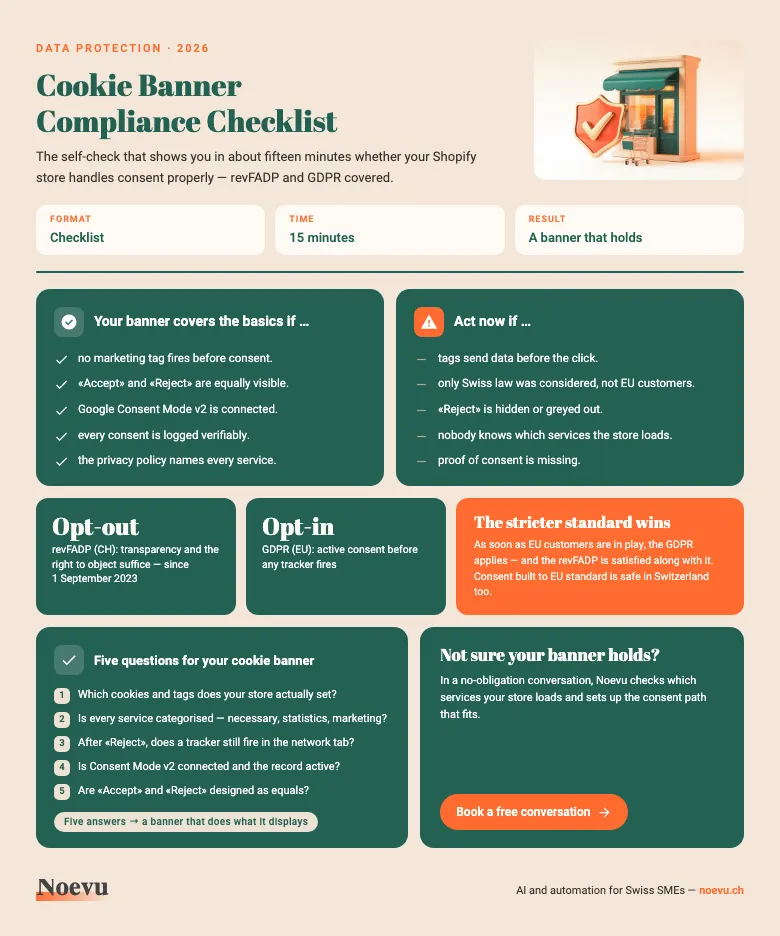
Cookie Banner Compliance Checklist for Swiss Shopify stores
The checklist as a PDF: the five most common mistakes and the three steps to a clean banner. Plus the self-test you can use to check in about a quarter of an hour whether your consent really takes hold.
Thank you. Your download starts shortly.
How Noevu approaches consent and tracking
The starting point is always the same question: what does the store even load? First we record every service, assign it to a category and derive the right consent path from that. Sometimes the native banner is enough, sometimes it takes a dedicated platform. Then we connect Google Consent Mode v2, switch on the record of consent and test whether nothing really fires before the click. Anyone who does not want to set this up themselves can hand over the consulting and setup.
Load time stays important throughout. A consent tool that slows the store down costs conversions — and just how strongly load time decides conversions is shown in our article on conversion optimisation. Anyone still at the start and only just building the store will find the basics in our guide on how to create an online shop.
Conclusion
The question of the cookie banner is rarely a question of location. It is a question of the customer base: as soon as EU buyers come into play, the stricter GDPR standard applies, and the revDSG is met anyway. The native Shopify banner covers the basics; whoever needs more languages, more tags and a clean record is better off with a dedicated platform.
In the end it is not how good the banner looks that counts, but whether it keeps what it shows. A banner that only allows tracking after consent, connects Consent Mode v2 cleanly and presents the choice fairly does its job — for the legal position and for the trust of the customers alike.

Your store often loads more services than you think. We check each one, choose the right consent path and set up the banner and Consent Mode cleanly — without losing speed.
Frequently Asked Questions
Does my Swiss Shopify store need a cookie banner?
That depends less on where you are based than on who your customers are. Switzerland's revised Data Protection Act asks above all for transparency: you have to disclose which data you process and offer a way to object. Unlike EU law, it does not explicitly require active consent before cookies are set. But as soon as your store addresses customers in the EU, the GDPR applies, and then non-essential tracking needs prior consent. Most Shopify stores use Google Analytics, advertising pixels or marketing tags and are open to the EU market. That is why a clean banner is almost always the right call in practice.
What is the difference between revDSG and GDPR when it comes to cookies?
The revDSG, in force since 1 September 2023, follows an opt-out principle: processing data is allowed as long as it is made transparent and the people concerned can object. The GDPR follows an opt-in principle: non-essential cookies may only fire after someone has actively agreed. For a store with a mixed customer base that means the stricter standard wins in practice. A banner that gathers consent to the EU standard also satisfies the Swiss requirements.
Is Shopify's native cookie banner enough?
For a small store with few services, the native banner can be enough. It is built into Shopify, active within minutes and blocks tracking automatically depending on the region. But as soon as you run many marketing tags, serve several languages or need an audit-proof record of consent, you hit the ceiling quickly. Dedicated consent tools scan the store, list every service and log every consent — the native banner does not.
What is Google Consent Mode v2 and do I need it?
Consent Mode v2 is the interface through which Google services such as Analytics and Ads learn whether someone has consented. Without it, measurement data breaks away for EU users and ad campaigns lose signals. If your store addresses EU customers with Google services, there is hardly a way around Consent Mode v2. Both the native Shopify banner and the dedicated tools support it — the tools document the consent more completely.
Which consent tool fits my store?
There is no across-the-board winner. The choice hinges on three things: the size of the store, the markets you serve and the budget. A store with few services and only Swiss customers is often well served by the native banner. Anyone selling in several languages, running many tags and needing a clean record is better off with a dedicated platform such as Usercentrics, Cookiebot or Consentmanager. We start by looking at which services your store actually loads, and derive the right solution from there.