
What is a WordPress Pagebuilder — briefly explained
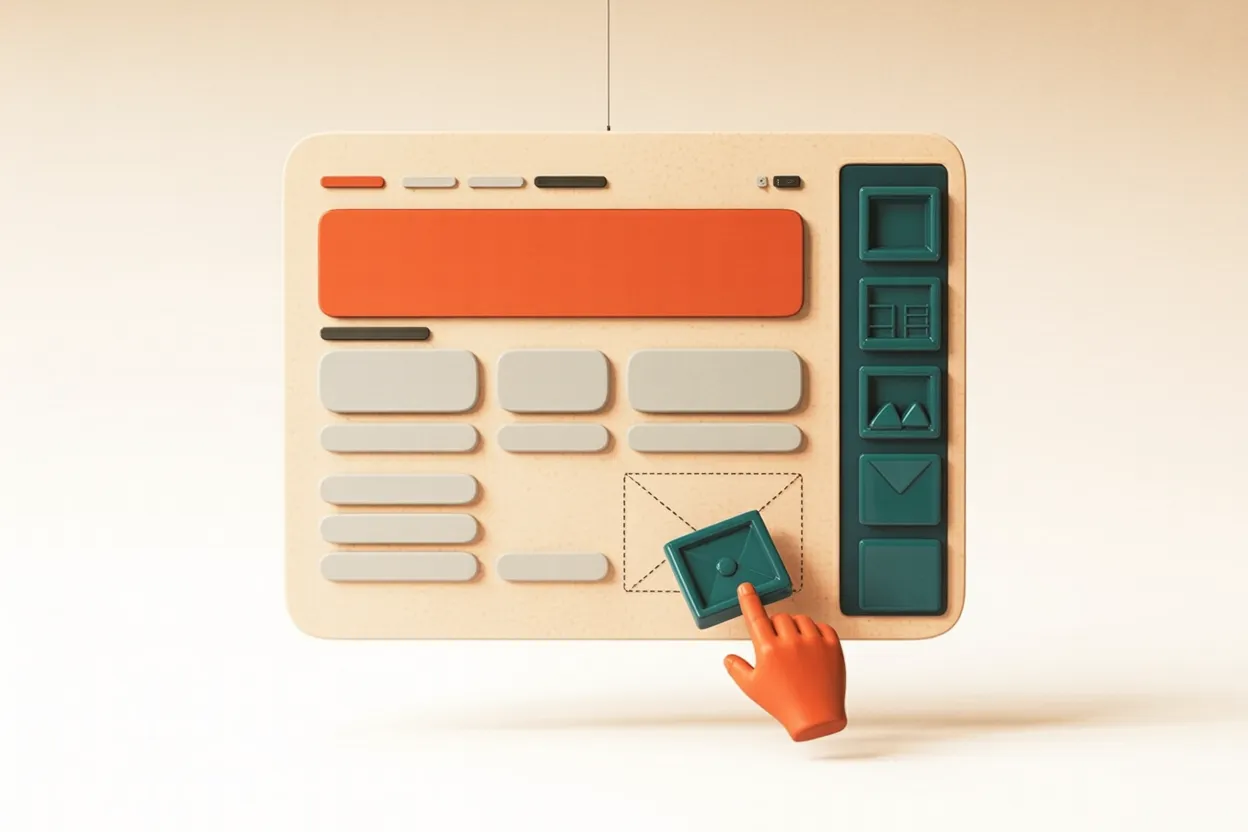
A WordPress page builder is a visual editor that allows pages to be designed by dragging and dropping elements into place. Text, images, columns, buttons — all positioned directly on screen, without writing a single line of code. The result looks almost identical in the editor to what appears on the finished website.
There are two fundamentally different types. First, the Gutenberg Block Editor, which has been built into WordPress since version 5.0 (2018) and carries no additional cost. Second, plugin-based page builders such as Elementor, Divi or Bricks, which must be installed separately, licensed and maintained.
Anyone considering WordPress should first read the article WordPress for SMEs: What Really Matters — many questions about the platform itself are answered there. After that, the page builder question becomes much more concrete.
Gutenberg or page builder — what is the difference?
Gutenberg is a block editor. You work with predefined blocks — paragraph, image, column, video, quote. This is sufficient for most editorial content: text, blog posts and simple pages with a clear structure. Since WordPress 6.x, Full Site Editing (FSE) is also available, allowing headers, footers and entire templates to be designed with blocks.
Plugin page builders like Elementor and Divi go further. They offer greater design freedom, more pre-made templates, and more visual control over spacing, animations and responsive behaviour. The trade-off: higher load times (more JavaScript), an additional plugin dependency and ongoing licence costs.
For around 80 per cent of standard SME websites — company sites, service providers, small blogs — Gutenberg is sufficient. For agencies or SMEs that need complex designs with full visual autonomy, a page builder may be the right choice.
When does a page builder make sense?
A plugin-based page builder makes sense when requirements go beyond what Gutenberg can cover with reasonable effort. This is less common than many assume — but there are clear situations where using one is justified.
When is a page builder the wrong choice?
The counter-question is at least as important. Page builders are often used out of habit or because the agency is familiar with them — not because the website actually needs one. This creates unnecessary dependencies and ongoing costs.
Typical situations where a page builder does more harm than good:
- Gutenberg already covers all requirements — an additional plugin is unnecessary complexity
- Budget is tight and an annual licence of CHF 65–120 is a meaningful expense
- Nobody is taking long-term responsibility for plugin updates and security patches
- Maximum load speed is critical — for example, e-commerce checkouts or landing pages
- The website should remain easy to maintain long term and allow for agency changes
- The team has no time to learn a new tool properly
The most important page builders at a glance
There is no objectively best system — only the right fit for each situation. The overview below compares the three most relevant options for Swiss SME projects. Anyone planning a professional website will find an overview of different approaches on the website creation page — regardless of which editor is chosen.
| Gutenberg | Elementor Pro | Divi 5 | |
|---|---|---|---|
| Cost | Free (included in WordPress) | from ~CHF 65/year/site | ~CHF 270 one-off (unlimited) |
| Licence model | No subscription | Annual subscription (no lifetime) | Lifetime available |
| Learning curve | Medium | Low (intuitive) | Medium to high |
| Design freedom | Good (FSE since WP 6.x) | Very high | Very high |
| Performance 2026 | Excellent (lightest code) | Good (Flexbox containers) | Good (Divi 5: +80% faster) |
| Vendor lock-in | None | High | High |
| Ideal for | Content sites, blogs, simple SMEs | Agencies, visual autonomy | Agencies with many projects |
Bricks Builder is a fourth option growing in popularity among developers and technically oriented agencies. It produces the cleanest code output of the four and offers a lifetime licence from around USD 79. For SMEs working without an agency, it is less suitable — it requires knowledge of CSS and Flexbox.
WPBakery (formerly Visual Composer) is considered a legacy tool. It is still widely used but technically outdated. It is not recommended for new projects — the shortcode-based approach creates the strongest lock-in of all page builders.
What page builders mean for performance and SEO
Page builders do not directly affect SEO — what matters is content, headings, meta tags and structured data. What does directly affect rankings is load speed. And here, page builders are a relevant factor.
Standalone page builders load additional JavaScript and CSS, which ends up on the page in all cases — even when not all features are used. This affects Core Web Vitals, particularly Largest Contentful Paint (LCP) and Cumulative Layout Shift (CLS). With active caching, lazy loading and a CDN, this can usually be compensated — but it requires knowledge and effort.
Gutenberg has the advantage here: it generates significantly less JavaScript overhead and tends to perform better on Core Web Vitals than plugin-based solutions. Divi 5 has caught up with its February 2026 rewrite — 84 per cent less JavaScript and significantly better PageSpeed scores are a genuine improvement.
What the page drags along
The page looks the same both times. Switch and compare what the browser has to load along with it.
Built simply
Built with Elementor

What to clarify before deciding
Before a page builder is introduced, it is worth taking an honest look at your own situation. The following questions help in making the right decision — regardless of what the agency is used to or which page builder is currently being promoted.
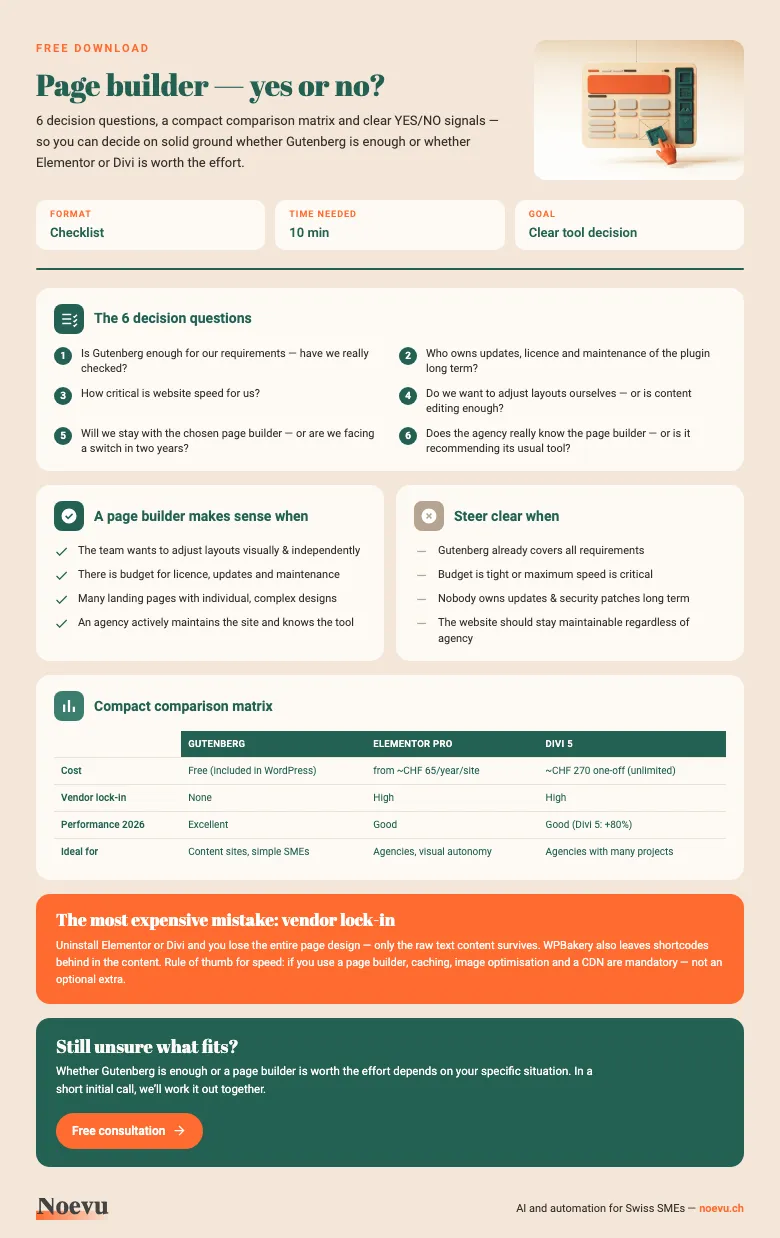
- Is Gutenberg sufficient for your specific requirements — have you genuinely checked this?
- Who is responsible long term for updates, licences and maintenance of the page builder plugin?
- How demanding are your load speed requirements — are there critical performance thresholds?
- Do you want to adjust layouts independently as a team, or is content management through Gutenberg enough?
- Are you prepared to stay with the chosen page builder — or might a switch be needed in two years?
- Does the agency you are working with genuinely know the page builder well — or are they recommending their familiar tool?
The fourth question goes beyond layout freedom: an editor-friendly CMS helps decide whether your content stays up to date.
Page builder decision checklist: do you really need one?
The checklist as a PDF: in around 10 minutes, you can decide on solid ground whether Gutenberg is enough or a page builder is worth the effort. It includes the 6 decision questions, a compact comparison matrix (Gutenberg, Elementor, Divi) and clear YES/NO signals.
Thank you. Your download will start shortly.
Gutenberg, Elementor, or Divi: which solution actually fits?
For most new projects, Gutenberg is the sensible starting point: free, low-maintenance, and fully sufficient for the majority of SME websites. Page builders like Elementor or Divi become the better choice when two conditions apply: the client needs genuine visual autonomy without developer support — and licence costs and lock-in risk are consciously accepted. Anyone running an existing site on a page builder and struggling with performance or maintenance should evaluate a migration before the technical debt becomes more expensive than a clean rebuild. That move doesn't have to stay within WordPress: an alternative to WordPress is worth weighing too.
The decisive question is not the tool itself, but: what does this website actually need long-term — and at what cost? A page builder can be the right answer. But it is rarely the only one.
Conclusion
A WordPress page builder is not a quality marker — it is a tool. Used correctly, it creates visual freedom and editorial autonomy. Used incorrectly, it generates dependencies, licence costs and performance problems that end up costing more than expected in the long run.
Gutenberg is the underestimated starting point: free, built into WordPress and sufficient for most SME websites. Elementor and Divi make sense when there are concrete requirements that Gutenberg cannot cover — and when licence, maintenance and lock-in risk are knowingly accepted.
If you are still unsure which solution suits your website and requirements, talk to us. A short conversation is often enough to find clarity.

Whether Gutenberg, Elementor or another solution is the right choice depends on your specific situation. A short conversation is often enough to find clarity.
Frequently Asked Questions
What is a WordPress page builder?
A WordPress page builder is a visual editor that allows pages to be designed by dragging and dropping elements — without writing code. Well-known examples include Elementor, Divi and Bricks. Gutenberg is the block editor built into WordPress, which also qualifies as a page builder — many SMEs overlook that it is already included.
Which WordPress page builder is the best?
There is no objectively best page builder — only the right fit for a given situation. Elementor is the most widely used and has the largest ecosystem. Divi stands out with a lifetime licence model (a one-off payment of around CHF 270 for unlimited websites). Bricks is the choice for developers prioritising clean code output. For simple SME websites, Gutenberg is often sufficient.
Is Gutenberg better than Elementor?
For performance and independence: yes. Gutenberg generates lighter HTML, is built into WordPress (no extra cost) and creates no plugin dependency. For complex visual layouts and extensive design flexibility, Elementor offers more options — at a corresponding cost and with vendor lock-in risk.
What does Elementor Pro cost in Switzerland?
Elementor Pro starts at approximately USD 59 per year for a single website (roughly CHF 55–65 depending on the exchange rate) up to USD 399 for agencies with up to 1,000 websites. There is no lifetime licence. Divi offers a lifetime licence for a one-off USD 249 (approximately CHF 220–270) covering unlimited websites.
What happens if I uninstall my page builder?
The design is lost — only the raw text content remains. With WPBakery, shortcodes remain embedded in the content and must be cleaned up manually. This is the core of the vendor lock-in problem: once a page builder is in use, you are tied to it long term.